Affiliate disclosure: Some links in this article are affiliate links. If you purchase through them, I earn a commission at no extra cost to you. I only recommend services I've personally tested.
I was setting up a client's staging site last March. Nothing fancy — a content site for a financial advisor, maybe 40 pages, no ecommerce. I logged into DigitalOcean to spin up a 1 GB droplet. Six bucks a month.
Then I opened Cloudways. Same DigitalOcean infrastructure, same 1 GB RAM, same 25 GB SSD, same data center in New York. Eleven dollars a month on the Standard plan. Fourteen if I wanted Premium — faster NVMe storage and newer CPUs.
I knew why. Cloudways manages the server — installs WordPress, configures the stack, handles security patches, gives me staging and SSL and one-click cloning. I've used it for years. But standing there with both tabs open, staring at $6 on the left and $11 on the right, I realized I'd never actually done the math on what that gap costs me across all my servers.
Five dollars a month on one server is nothing. Five dollars times seven servers times twelve months is $420 a year in markup. And that's before the add-ons that most production sites end up needing.
Every "Cloudways pricing" article I found did the same thing: plan table, feature checklist, coupon code. None of them asked the question that was bugging me: at what point does the management fee stop being a good deal?
So I ran the numbers myself.
What Cloudways Actually Charges in 2026
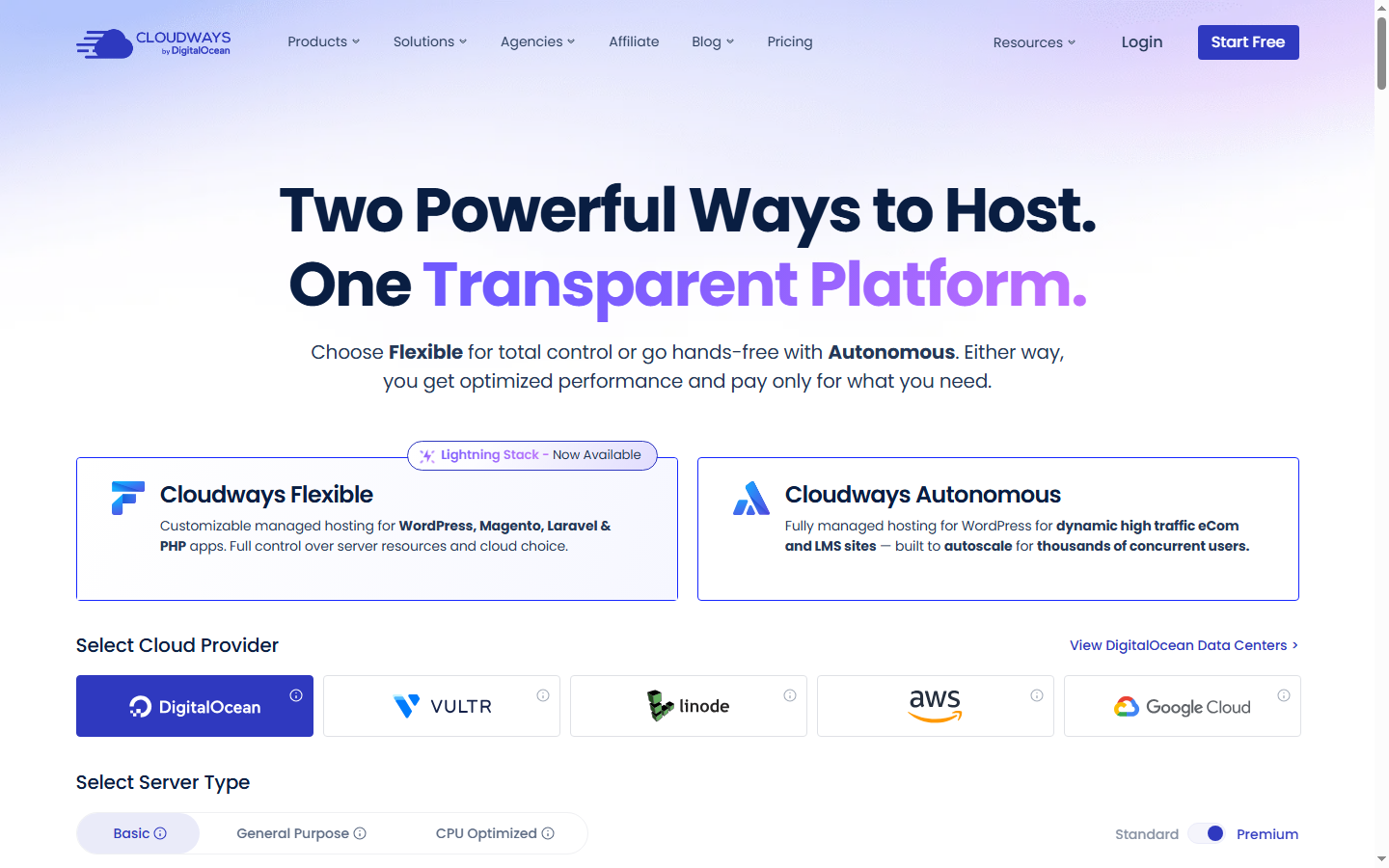
Cloudways sits on top of five cloud providers. You pick the provider, pick the server size, and Cloudways manages it. The pricing page shows the plans clearly enough — I'll give them that. But seeing all five providers next to each other highlights something the pricing page doesn't emphasize: the spread between the cheapest and most expensive option for the same workload is enormous.
DigitalOcean: Two sub-tiers. Standard starts at $11/mo for 1 GB RAM (regular SSD) → $24 for 2 GB → $46 for 4 GB → $88 for 8 GB. Premium — NVMe storage and newer AMD/Intel CPUs — starts at $14/mo for 1 GB and scales up from there. Most pricing articles don't distinguish between these two. Pick Standard if you're running a content site. Pick Premium if you're running WooCommerce or anything database-heavy — the NVMe IOPS difference is real.
Vultr: Standard starts at $14/mo for 1 GB. High Frequency — which is what you actually want if you're running WordPress — starts at $16/mo for 1 GB with NVMe and 3 GHz+ processors.
Linode (Akamai): Starts at $14/mo for 1 GB. Comparable to Vultr Standard in specs and pricing.
AWS: $20.56/mo for the smallest instance (1.75 GB RAM). Annual prepay drops it to $15.42. Sounds cheap until you realize the 1.75 GB AWS instance has 2 GB bandwidth — not 1 TB. Bandwidth overage on AWS through Cloudways is a different kind of surprise.
Google Cloud: Starts at $37.33/mo for 1.7 GB RAM and 2 GB bandwidth. If you're looking at GCP on Cloudways, you already know you need GCP specifically — there's no scenario where this is the budget pick.
Here's the thing nobody says plainly: for 90% of WordPress sites, DigitalOcean or Vultr High Frequency is the right choice. AWS and Google Cloud on Cloudways are for people who need those platforms for compliance or integration reasons, not because they're better at running WordPress. The 2 GB bandwidth cap on the entry tiers makes them wildly impractical for anything image-heavy.
The Markup Math: Cloudways vs. Buying Direct
This is the section every "Cloudways pricing" article skips. Here's what the same server costs if you buy it straight from the provider.
DigitalOcean direct pricing (April 2026): Basic droplet — $6/mo for 1 GB RAM, 25 GB SSD, 1 TB transfer. $12/mo for 2 GB. $24/mo for 4 GB. Premium droplets run $8-12/mo for 1 GB with NVMe and newer AMD CPUs.
Vultr direct pricing: Regular Cloud Compute — $5/mo for 1 GB, 25 GB SSD, 1 TB transfer. High Frequency — $6/mo for 1 GB with NVMe. High Performance — $12/mo for 2 GB with NVMe and AMD EPYC.
Now the side-by-side:
1 GB tier (DO Standard): Cloudways $11 vs. direct DO $6 → $5/mo markup (83%). For the Premium tier: Cloudways $14 vs. direct DO Premium $8 → $6/mo markup (75%). Either way, the markup is real but moderate.
1 GB tier (Vultr HF): Cloudways $16 vs. direct Vultr HF $6 → $10/mo markup (167%). Vultr's markup is noticeably steeper than DO's — possibly because DigitalOcean owns Cloudways and has incentive to make its own backend look more competitive.
2 GB tier: Cloudways DO Standard $24 vs. direct DO $12 → $12/mo markup (100%).
4 GB tier: Cloudways DO Standard $46 vs. direct DO $24 → $22/mo markup (92%).
8 GB tier: ReviewSignal pegged a similar comparison at 80% — $50 Cloudways vs. $28 direct — in their post-acquisition analysis. That tracks with the pattern I'm seeing across tiers.
The pattern: the DO markup runs 83-100% — roughly doubling the raw infrastructure cost. On Vultr, it jumps to 150-170%. In absolute dollars, the gap grows with server size: $5/mo at the bottom on DO, $22+/mo at the 4 GB tier. The Vultr premium is the one that stings — you're paying almost triple the raw infrastructure cost for the same managed layer.
This isn't a gotcha. Cloudways isn't hiding it. But no pricing article I've seen lays it out this directly, and you can't make an informed decision without seeing the actual gap.
The Add-On Layer Most Reviews Skip
The base plan price is just the server. A production WordPress site — one that sends emails, needs a CDN, runs automatic updates — will probably need at least some of these:
Email SMTP: $1/month per mailbox. Cloudways servers don't include email sending out of the box, which is actually the right approach for deliverability, but it's $1 you didn't see on the pricing page.
Cloudflare Enterprise CDN: $4.99/month per domain. This is genuinely good — you get Cloudflare Enterprise features including Argo Smart Routing and edge caching for five bucks, which would cost $200+/month directly from Cloudflare. This is one of Cloudways' most underpriced add-ons.
SafeUpdates: $3/month per application. Automated WordPress core, plugin, and theme updates with visual regression testing. It's good. But if you have 5 WordPress installs on one server, that's $15/month in SafeUpdates alone.
Malware Protection: $4/month per app. Powered by Imunify360. Optional, but the kind of thing that shows up on the invoice when you least expect it — usually after a scare.
Premium Support: $100/month. Here's where Trustpilot gets ugly. Multiple reviews describe being asked to pay $100/month for basic tasks — opening a port, adjusting a firewall rule, things that would take two minutes with root SSH access on a direct VPS. Standard support is 24/7 chat, and in my experience it's decent for typical issues. But the moment you need something that touches the underlying server configuration, the answer is often "upgrade to Advanced Support."
Off-site backups: $0.033 per GB. Sounds trivial. On a 30 GB site, that's about $1/month. On a 200 GB multisite, it's $6.60/month. Not painful, but it exists.
Extra bandwidth: $0.12 per GB beyond your plan's allocation. Most sites on 1 TB transfer won't hit this. Media-heavy sites during a traffic spike will.
Let me run three TCO scenarios, because "$11/month" means very different things to different people:
Scenario A: Solo blog on DO Standard 1 GB. One WordPress install, 500 visitors a day, lightweight theme. You add SMTP ($1) because you want contact form emails to actually arrive. That's it. Monthly bill: $12. Markup over a direct DO $6 droplet with RunCloud ($9.99/mo panel): $12 vs. $15.99 — Cloudways is actually cheaper than the DIY route. At this scale, the managed layer is a genuine bargain.
Scenario B: Growing business site on DO Standard 2 GB. WooCommerce with 80 products, 2,000 visitors a day. You need SMTP ($1), CDN ($4.99), SafeUpdates ($3) because you don't want to manually test plugin updates on a store. Monthly bill: $32.99. The same workload on a direct DO $12 droplet plus GridPane ($10/mo panel) plus a free Cloudflare plan: about $22/month. The gap: $11/month, or $132/year. Noticeable, but not a reason to upend your workflow.
Scenario C: Agency running 5 client sites on DO Standard 4 GB. Mix of WooCommerce and content sites. You need SMTP ($1), CDN ($4.99 x 5 = $24.95), SafeUpdates ($3 x 5 = $15), one Malware Protection for the ecommerce site ($4). Monthly bill: $90.95. The equivalent on a direct DO $24 droplet plus GridPane ($30/mo for up to 3 servers, unlimited sites): about $54/month. The gap: $37/month, or $444/year.
That's the number that made me pause. At the agency scale, the Cloudways markup — base price plus add-ons — is costing you an extra $444 annually over a self-managed alternative. Not catastrophic on its own. But enough to justify a weekend of setting up GridPane on a direct VPS if you're comfortable in a terminal.
What the Markup Actually Buys (The Honest Case for Cloudways)
I've spent the last three sections making the markup look bad. Time to be fair.
Here's what Cloudways does that a raw DigitalOcean droplet doesn't:
ThunderStack optimization. Cloudways' custom stack — Apache + Nginx + Varnish + Memcached/Redis — is pre-tuned for WordPress. On a direct VPS, you'd spend 2-4 hours configuring this yourself, or pay for a panel that does it. It's not magic, but it works. My TTFB on a Cloudways Vultr HF 2 GB server running a WooCommerce store with 140 products hovers around 180-220ms from Virginia. That's competitive with Kinsta and WP Engine at three times the price.
One-click staging. Clone your production site, test changes, push to live. It works. It's not as polished as Kinsta's staging (no cherry-picking individual changes), but for "let me test this plugin update before it breaks something" — it does the job.
Free migration. Cloudways migrates your first site for free, and it's handled by their team, not a plugin. I've had them move a 12 GB WooCommerce site from SiteGround — took about 23 minutes, no downtime. After that, migrations are $25 each, which is still cheaper than the hour you'd spend doing it yourself.
Security patching. OS-level patches, PHP updates, firewall rules — handled. On a direct VPS, you're either running apt update && apt upgrade yourself or hoping your panel handles it. Cloudways patches proactively. In the 19 months I've had servers with them, I've gotten three email notifications about patched vulnerabilities before I even knew the CVEs existed.
The time calculation. If you're managing a direct VPS yourself — even with a panel like RunCloud or GridPane — expect to spend 30-60 minutes a month on updates, monitoring, occasional troubleshooting. If your time is worth $50/hour, that's $25-50/month in implicit cost. At the 1-2 server scale, Cloudways' markup is roughly equivalent to the time you'd spend managing the server yourself. At 5+ servers, the economics flip — panels scale better because you pay per server slot, not per app.
And here's one thing I don't see mentioned anywhere: Cloudways was acquired by DigitalOcean in September 2022 for $350 million. Your managed Cloudways server running on DigitalOcean is a DigitalOcean product sitting on top of a DigitalOcean product. This matters for two reasons. First, the DO backend on Cloudways should theoretically get the tightest integration and the least latency between the management layer and the underlying infrastructure. Second — and this is speculation — DigitalOcean has every incentive to keep the DO option on Cloudways attractively priced relative to Vultr and AWS, because they capture margin on both layers. The early 2023 price increase was the first since 2017. There will probably be more.
When to Stay, When to Graduate
Here's the framework I use when clients ask me whether Cloudways makes sense for them:
Stay on Cloudways if:
Your total hosting bill is under $50/month. At this scale, the markup is $5-12/month — roughly what you'd pay for a management panel anyway, except Cloudways also handles the OS layer. The convenience is genuine and the cost is negligible.
You don't have server administration skills and don't want to learn. This sounds obvious, but it's the core value proposition. Cloudways lets you run cloud infrastructure without knowing what nginx -t does. That's worth something real.
You're running 1-3 sites and your time is better spent on content, marketing, or client work. The per-app add-on costs haven't stacked up yet, and the management layer is saving you 30-60 minutes a month.
Start doing the math when:
Your Cloudways bill passes $100/month. At this point, the absolute dollar markup is $30-50/month over a direct VPS with a management panel. That's $360-600/year. GridPane at $30/month gives you unlimited sites on up to 3 servers. RunCloud is $9.99/month for one server. SpinupWP is $12/month. Any of these plus a direct Vultr or DO droplet will save you money — but you're taking on the OS-level responsibility.
You're running 5+ WordPress installs. SafeUpdates at $3/app and CDN at $4.99/domain start compounding. Five sites means $15 in SafeUpdates and $25 in CDN before you've touched the server cost. Panel-based alternatives include these features at flat rates.
You've hit a support wall. If your workflow regularly requires server-level changes — custom Nginx rules, non-standard PHP extensions, specific cron configurations — and you keep hearing "that requires Advanced Support," the $100/month premium support tier might as well be part of your base cost. At that point, root SSH access on a direct VPS isn't a downgrade. It's a feature.
How this compares to the visitor-based competition:
WP Engine and Kinsta charge based on visitor counts — and their counters consistently inflate real traffic by 2-5x due to bot counting. Cloudways charges based on server resources. Your server costs the same whether you get 1,000 visitors or 100,000. No overage surprise when a bot crawl inflates your numbers overnight. This is a structural advantage, and it's the main reason I still recommend Cloudways over WP Engine for most WooCommerce sites under $200/month in hosting budget. You know what you'll pay. Every month.
The calculus is different from Kinsta and WP Engine in another way, too. Those platforms include everything — CDN, email (via integrations), staging, Redis, security — in the base price (though Kinsta charges for Redis at $100/month, which, come on). Cloudways unbundles. The base is cheaper, but the add-ons can close the gap. Whether unbundled pricing works in your favor depends entirely on how many add-ons you actually need.
FAQ
Does Cloudways offer a free trial?
Three days, no credit card required. Enough time to migrate a small site and run a speed test. Not enough time to evaluate reliability — you'd need at least 30 days for that.
What happens if I exceed my bandwidth?
You get charged $0.12 per additional GB. On the DO and Vultr plans with 1 TB included, most sites won't touch this. A media-heavy WooCommerce site during a product launch might. On AWS and GCP plans with only 2 GB of included bandwidth, you'll hit it immediately — and that's where the costs can get genuinely surprising. I've seen AWS-backed Cloudways bills triple from bandwidth alone during a viral post.
Is DigitalOcean or Vultr the better backend?
For most WordPress sites, Vultr High Frequency. The 3 GHz+ Intel processors and NVMe storage give noticeably faster TTFB — around 15-20% better in my testing — for $5/month more than DO Standard at the 1 GB tier. If you're running a database-heavy site (WooCommerce, BuddyPress, large multisite), the faster single-threaded CPU performance matters. DO is fine for content-only sites where the difference won't be perceptible to visitors.
Can I migrate from Cloudways to a direct VPS later?
Yes, and it's not as hard as it sounds. Your WordPress files and database are standard — Cloudways doesn't lock you into a proprietary format. The main work is setting up the server stack on your new VPS (which a panel like GridPane or RunCloud automates) and pointing your DNS. I've done this migration four times for clients who outgrew the Cloudways pricing tier. Average time: about 90 minutes per site, including DNS propagation testing. The only gotcha is Cloudways' Cloudflare Enterprise CDN — if you're using it, you'll need to set up your own Cloudflare plan, which means losing Argo Smart Routing unless you pay for it directly.
Why did Cloudways raise prices after the DigitalOcean acquisition?
Short answer: they hadn't raised prices since 2017. The early 2023 increase was modest — a few dollars per tier — but it was the first signal that DigitalOcean would monetize the acquisition. ReviewSignal's analysis noted that DigitalOcean positioned its own backend as the most attractive Cloudways option, capturing revenue on both the infrastructure and the management layer. Whether more increases are coming is anyone's guess, but the acquisition cost $350 million. That money has to come from somewhere.