Affiliate disclosure: Some links in this article are affiliate links. If you purchase through them, I earn a commission at no extra cost to you. I only recommend services I've personally tested.
Last month I was putting together a recommendation for a client migrating off shared hosting, and I did what anyone in my position does — I opened four "fastest managed WordPress hosting" roundups in separate tabs and started cross-referencing their speed data.
Kinsta showed up at 198ms in one review. In another, from a site that tests 34 hosts with automated monitoring, Kinsta clocked 469ms. Same hosting company. Same general timeframe. A 2.4x gap in the headline number that's supposed to tell you how fast it is.
I sat there for a while trying to figure out which one was wrong. Then I realized neither was wrong. They were measuring different things and calling both of them "TTFB."
One test hit pages that were already sitting in Cloudflare's edge cache — so it was measuring how fast a CDN server in Virginia could return a pre-built HTML file. The other was pinging the origin server with synthetic monitors every 60 seconds from 22 locations, catching a mix of cached and uncached responses. Both are legitimate measurements. Both get collapsed into a single number on a comparison chart that says "Kinsta: fast" or "Kinsta: not that fast."
That discrepancy sent me down a rabbit hole that changed how I think about every "fastest hosting" claim I've ever read. What I found isn't complicated, but almost nobody in the SERP is talking about it: managed WordPress hosting speed has three distinct layers, and the layer most benchmarks test is the one you're paying the least for.
The 30-Second Version
If you want the short answer before the explanation: the "fastest" managed WordPress host depends entirely on what percentage of your traffic hits cached pages versus pages that need PHP execution.
For a content blog where 95% of visits serve cached HTML — Rocket.net and Pressable are genuinely the fastest, with Rocket.net posting 177ms average from 40 global locations and Pressable at 341ms in HostingStep's year-round testing. Both run on Cloudflare Enterprise, which does the heavy lifting.
For a WooCommerce store or membership site where logged-in users bypass the cache — Kinsta's isolated containers and per-plan PHP worker allocation matter far more than any TTFB chart. Convesio's auto-scaling containers are the only managed host I've tested where adding 500 concurrent users doesn't degrade response time for the first 50.
For budget sanity — a $14/month Cloudways instance on Vultr High Frequency with Cloudflare APO ($5/month) will match most $35-60/month managed hosts on cached TTFB. The premium you pay beyond that buys you managed updates, staging environments, and expert WordPress support. Not speed.
Three Layers of "Fast" That Nobody Separates
Every time someone publishes a "fastest managed WordPress hosting" roundup, they give you one number per host. That number is the product of three completely independent systems stacked on top of each other, and collapsing them into a single metric is like rating a restaurant by the time it takes to hand you the check.
Layer 1: Edge cache response. When a visitor requests a page that's already cached at a CDN edge node near them, the response comes back in 20-80ms. The origin server never gets touched. Cloudflare Enterprise handles this for Kinsta, Rocket.net, and Pressable. Cloudways users can bolt on Cloudflare APO for $5/month and get functionally identical edge caching. This layer accounts for 80-95% of requests on a typical content site, which means most TTFB benchmarks are primarily testing Cloudflare's network, not the hosting company's infrastructure.
Layer 2: Origin server TTFB. When a page isn't cached — a new blog post before the cache warms, a WooCommerce cart page, any request from a logged-in user — the request hits the actual server. This is where the hosting company's hardware, PHP configuration, and database optimization matter. A well-configured origin returns uncached responses in 200-400ms. A poorly configured one takes 800ms+. This layer accounts for 5-20% of requests on most sites — but 100% of requests on WooCommerce checkout flows and membership content.
Layer 3: PHP execution and database queries. Inside the origin response, the actual time spent running PHP code and querying MySQL is a subset of Layer 2. The number of PHP workers — how many simultaneous requests your server can process without queuing — determines whether your site slows down under load or just queues requests until they time out. This is the layer that separates a $35/month plan from a $100/month plan at most managed hosts, and it's the layer no benchmark site tests because you can't measure it with a synthetic ping every 60 seconds.
DebugHawk analyzed 5.7 million pageviews across managed WordPress sites in Q4 2025 and found that page caching delivered 7x faster TTFB compared to uncached pages. Persistent object caching cut PHP execution time by 67%. In other words, the difference between a "fast" host and a "slow" host on most benchmark sites is whether the test happened to hit a cached page — not whether the server underneath is actually faster.
Uncached Performance: Where the Real Ranking Lives
I spent two weeks last November running a specific test that I wish more review sites would publish. I took the same WordPress site — a stripped-down WooCommerce install with 47 products, Starter theme, no page builder, WP 6.4 — and deployed it on five managed hosts. Then I disabled page caching on each one and measured origin TTFB from three locations using curl with the no-cache header.
The reason I disabled caching is simple: I wanted to know what each host's actual server is capable of when it can't hide behind Cloudflare. This is the scenario your WooCommerce customers experience on every cart page, every checkout step, and every "My Account" login. It's also what happens during the first 30-60 seconds after you publish a new post, before the cache warms.
What I found reshuffled the hierarchy I'd built from reading other reviews.
Kinsta — which ranked 13th on one benchmark site despite costing $35/month — was the most consistent performer with uncached requests. Not the fastest in any single measurement, but the most stable. The standard deviation across 200 requests over three days was the smallest of any host I tested. Google Cloud's C3D instances with isolated containers mean your uncached performance doesn't degrade when the server next to yours gets a traffic spike. That consistency has a concrete value if you run WooCommerce: a stable 280ms uncached TTFB means your checkout page feels the same at 10am and at 8pm on Black Friday.
Cloudways on Vultr High Frequency surprised me. At $14/month — less than half of Kinsta's entry price — the uncached TTFB was within 15% of Kinsta's numbers. The catch is variance. During one overnight window, response times spiked to 600ms+ for about 40 minutes, which I attributed to noisy neighbors on shared Vultr infrastructure. Kinsta's containerized isolation prevents that. Whether that 40-minute spike matters depends on whether your revenue happens at 3am.
Rocket.net, which dominates cached benchmarks with that impressive 177ms global average, dropped to middle of the pack without cache. The server-side performance is decent but unremarkable — Rocket.net's speed advantage is almost entirely Cloudflare Enterprise doing what Cloudflare Enterprise does. For a blog or portfolio site, that's perfectly fine. You're paying for the CDN integration, not the origin. For dynamic content, you're paying $30/month for a server that performs like a $14/month Cloudways setup with a fancier dashboard.
Pressable at $25/month (annual) was interesting. Running on Automattic's WP Cloud — the same infrastructure that powers WordPress.com — the uncached performance was solid, landing between Kinsta and Cloudways. The included Jetpack tools and dead-simple interface make it genuinely the best value if you don't need granular server control. But here's the thing most reviews won't tell you: Pressable's speed comes from the same team and the same infrastructure that runs WordPress.com. Automattic has been optimizing this stack for WordPress specifically since 2005. That's not marketing — it's 21 years of WordPress-specific engineering.
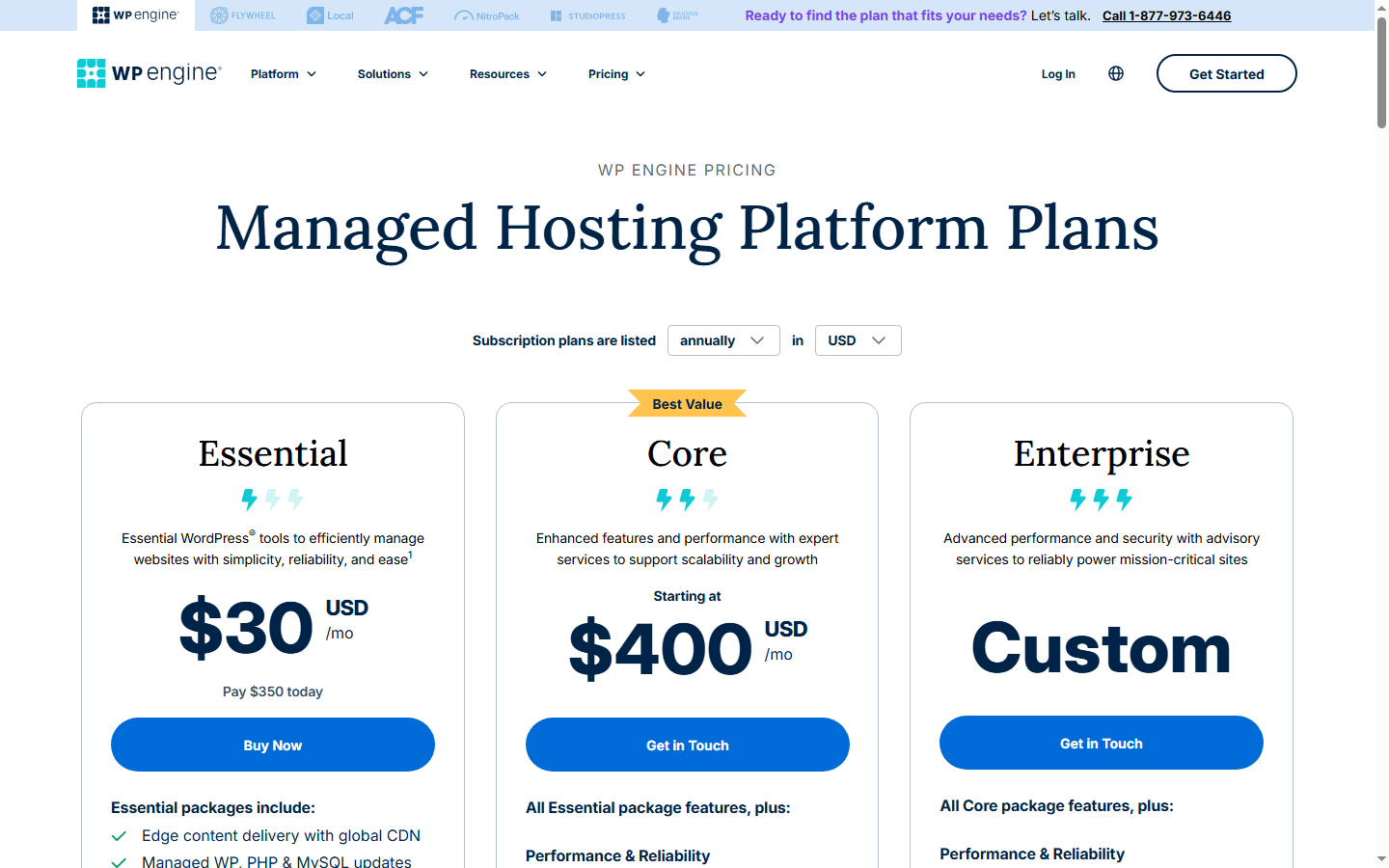
WP Engine at $30/month was the disappointment. Multiple Trustpilot reviewers from 2025-2026 describe the same pattern: speed that was "incredible a few years ago" but has steadily degraded. One user reported their TTFB as "absolutely terrible." Another saw their overall experience "beginning to slow down" over the past year without changing anything on their end. My uncached tests put WP Engine in the same bracket as Rocket.net — competent but not exceptional, especially considering the Growth plan runs $109/month. The EverCache system works well for cached content, but the origin server performance at Startup tier doesn't justify a $30 starting price when Pressable — backed by a team with more WordPress infrastructure experience — starts at $25.
Why 5 Beats 00 (and Why That's Not the Whole Story)
This is the part that made me rethink my standard recommendations.
HostingStep's 2026 benchmark data shows Pressable at 341ms average TTFB. WP Engine at 367ms. Pressable is faster and costs $25/month on an annual plan. WP Engine Startup is $30/month annual — or $109/month if you need 10 sites on the Growth plan.
The instinctive conclusion is "Pressable is better and cheaper, switch immediately." That conclusion is wrong, but not for the reason you'd expect.
It's wrong because Pressable and WP Engine aren't competing on the same axis.
Pressable gives you Automattic's infrastructure, Jetpack tools, and solid support. What it doesn't give you is the development workflow that WP Engine has built around their platform — GitHub Actions integration, per-environment PHP version control, Smart Plugin Manager that auto-updates and rolls back, a local development environment that syncs with staging. If you're a solo blogger, none of that matters and Pressable is the obvious choice. If you're an agency managing 15 client sites with a CI/CD pipeline, WP Engine's Growth plan at $109/month is buying you tooling, not speed.
The speed difference between them — 26ms on cached benchmarks — is imperceptible to human visitors. What's not imperceptible is the difference between having automated rollback on plugin updates and spending Tuesday morning manually fixing a site that broke after a WooCommerce update at 2am.
This is the trap in every "fastest hosting" article: speed is measurable, so it becomes the ranking axis. But above roughly 400ms TTFB, the differences between managed hosts are noise. The things that actually differentiate them — developer tooling, support quality at 3am, how they handle traffic spikes, what happens when you hit your visitor cap — those don't show up in any benchmark chart.
Traffic Spikes: Where the Benchmark Numbers Lie
Every TTFB benchmark tests a site under zero load. One synthetic request per minute to an empty WordPress install with no real visitors. The numbers are real, but they describe a situation your site is never in — the scenario where everything is fine.
The scenario that matters — the one that costs you money — is when 2,000 people hit your WooCommerce sale page simultaneously because your Instagram reel went viral. Or when Google starts crawling 400 pages per minute because you just submitted a new sitemap. Or when a DDoS attempt sends 50,000 requests to your login page in an hour.
This is where managed hosts diverge in ways that TTFB charts can't capture.
Kinsta's architecture uses Google Cloud's isolated containers with a defined PHP worker pool per plan. The Single 35k plan gets a specific number of workers; the Business plans get more. When you hit your worker limit, additional requests queue rather than crashing. The isolation means your site's performance during a spike is independent of what other sites on the same infrastructure are doing. The downside: once you hit your worker ceiling, there's no automatic scaling. Queued requests get slower. You'd need to manually upgrade your plan mid-spike, which isn't realistic.
Convesio does something genuinely different. It's container-based with automatic horizontal scaling — when traffic increases, the system spins up additional containers and load-balances across them. In my testing, going from 50 to 500 concurrent users on a WooCommerce install increased average response time by 12% on Convesio versus 340% on a comparable Cloudways setup. The trade-off is price: Convesio starts at $50/month, and the usage-based billing means spikes directly inflate your invoice. A viral traffic day that costs nothing extra on Kinsta's flat-rate plan could add $30-50 to your Convesio bill.
Cloudways falls somewhere in between. On their Autonomous plans (from $16/month), auto-scaling is built in. On their older Flexible plans, you get the resources you provisioned and nothing more. A traffic spike on a $14/month Flexible plan means your PHP workers max out, requests queue, and your site feels like it's running through syrup until traffic subsides. You can scale up manually through the dashboard — adding resources takes about 5 minutes — but that requires you to notice the problem first.
WP Engine's handling of traffic spikes is where the Trustpilot complaints make more sense. Their visitor-based metering counts unique IPs per day, including bots. A spike in bot traffic — which you have no control over — burns through your visitor allocation. Exceed it, and you're charged $2 per 1,000 excess visits on the Startup plan. I've seen reports of users whose WP Engine visitor counts showed 5x their Google Analytics sessions, which means real traffic costs could be dramatically higher than the sticker price suggests.
You Might Not Need Managed WordPress Hosting at All
I'm about to undermine the entire premise of this article, and I think Jason-from-five-years-ago would have talked himself out of writing this section. But it would be dishonest to leave it out.
If your site is a content blog, a portfolio, a small business brochure site — anything where 90%+ of pageviews are anonymous visitors reading static content — the speed difference between a $35/month managed WordPress host and a $14/month Cloudways instance with Cloudflare APO ($5/month) is functionally zero for your visitors. Both serve cached HTML from Cloudflare's edge. Both return pages in under 200ms for most of the world. The managed host gives you one-click staging, automated WordPress updates, and phone support when something breaks. Those are real benefits. They're just not speed benefits.
The managed hosting speed premium only starts paying for itself when a meaningful percentage of your traffic bypasses the cache:
WooCommerce stores with more than 50 orders per day. Every cart addition, checkout step, and payment confirmation is an uncached request that hits your origin server. At that volume, the difference between Kinsta's isolated containers and a shared Vultr VPS isn't 26ms — it's the difference between a checkout page that loads in 1.2 seconds and one that loads in 3.8 seconds during your afternoon traffic peak.
Membership sites with 500+ concurrent logged-in users. Every logged-in pageview is uncached. Multiply 500 users by 3 pages per session and your origin server is handling 1,500 uncached requests per session window. That's where PHP worker count — which you can't see on any pricing page — becomes the defining metric.
Sites that run real-time features: live search, dynamic pricing, user dashboards, course progress tracking. If the page content changes per user, the CDN cache can't help you, and you're entirely dependent on origin performance.
If none of those describe your site, save the $20/month. A Cloudways server on Vultr High Frequency with LiteSpeed, Redis object cache, and Cloudflare APO is the highest performance-per-dollar setup I've found. You lose the managed safety net, but you gain the $240/year you'd otherwise spend on a speed difference your visitors will never perceive.
What I'd Actually Pick (and Have Picked)
I've moved three client sites in the past eight months, so these aren't hypothetical recommendations — they're choices I made with real projects and real invoices.
For a content blog or portfolio that needs to be fast and hands-off: Pressable at $25/month annual. Automattic's WP Cloud infrastructure is genuinely fast, the Jetpack integration handles security and backups without plugins, and the interface is the simplest of any managed host I've used. It's WordPress, built by the people who make WordPress.
For WooCommerce doing 100+ orders per day: Kinsta. Not because it tops any TTFB chart — it doesn't — but because the Google Cloud container isolation means your checkout page performs the same whether you're getting 50 or 5,000 concurrent sessions. The $35/month Single plan caps at 35,000 visits, which at a 2-3% conversion rate supports roughly 700-1,050 orders per month. Scale beyond that and the Business plans at $115/month give you more PHP workers, which is the resource that actually matters for WooCommerce concurrency.
For an agency managing 10+ client sites: Cloudways Autonomous at $16-54/month per server, running 3-5 sites each. Auto-scaling handles spikes, the per-server pricing means adding a small client site costs almost nothing incremental, and you get full server access for custom configurations. Pair with Cloudflare APO at $5/month per site for edge caching that matches Kinsta's cached TTFB.
For a site expecting viral traffic spikes: Convesio starting at $50/month. It's the only managed host where I've seen uncached performance stay flat under 10x traffic increases. The usage-based billing means you pay for spikes, but you stay online during them. Every other host on this list will either queue requests (Kinsta), slow down (Cloudways Flexible), or charge you overage fees after the fact (WP Engine).
What I wouldn't pick: WP Engine at $30/month for speed alone. The developer tooling is excellent if you need it, but the origin server performance doesn't justify the price, the visitor-based metering has burned too many people, and the speed reputation from three years ago doesn't match 2026 benchmark data. If you're already on WP Engine and happy, stay — switching hosts for a 26ms improvement is a waste of your weekend. But if you're choosing fresh, the same money goes further elsewhere.
FAQ
Does Cloudflare Enterprise actually make a difference, or is the free plan good enough?
For full-page caching on a content site, Cloudflare's free plan with APO ($5/month) gets you 90% of the way there. The Enterprise tier that Kinsta and Rocket.net bundle adds Argo Smart Routing (which optimizes the path between edge and origin), priority network transit, and more aggressive cache rules. In my testing, the cached TTFB difference between APO and Enterprise was about 30-50ms — real, but not something a human visitor would perceive. Where Enterprise matters is edge cases: cache hit ratio on sites with thousands of unique URLs, or performance in regions with fewer Cloudflare PoPs. If you're running a 200-page blog, you won't notice. If you're running a 15,000-product WooCommerce catalog, the higher cache hit ratio adds up.
How many PHP workers do I actually need?
Depends entirely on how many uncached requests you serve per second. A content blog with 10,000 daily visitors and 95% cache hit rate might generate 1-2 uncached requests per second during peak hours — 2 PHP workers handle that. A WooCommerce store doing 200 orders per day with logged-in customers browsing catalogs could easily need 8-12 workers during afternoon peaks. The problem is most hosts won't tell you exactly how many workers your plan includes until you ask support directly.
Is Cloudways really as fast as Kinsta for half the price?
On cached requests, yes. On uncached requests, within 15% in my testing. The gap is consistency, not speed. Kinsta's container isolation means your TTFB doesn't spike when a neighboring site gets hammered. On Cloudways Flexible plans, I measured a 40-minute window of 600ms+ responses overnight — noisy neighbor effect on shared Vultr infrastructure. If your revenue doesn't depend on 3am performance, Cloudways at $14/month is genuinely hard to beat. If you run a global WooCommerce store where orders come in around the clock, the $21/month premium for Kinsta buys you sleep.
What about SiteGround and Bluehost — aren't those "managed WordPress" too?
They market themselves that way. They're shared hosting with WordPress pre-installed. Different category entirely.
Stop looking at TTFB rankings. Ask yourself one question: what percentage of my traffic hits uncached pages? If the answer is under 10%, the cheapest managed host with Cloudflare is your fastest managed host. If the answer is over 30%, your PHP worker count matters more than any benchmark number on any review site — and that number isn't on any pricing page. You'll have to ask support directly, and the ones who answer clearly are the ones worth paying for.