Affiliate disclosure: Some links in this article are affiliate links. If you purchase through them, I earn a commission at no extra cost to you. I only recommend services I've personally tested.
WP Engine's homepage says "starts at $25/month." A seven-year customer on Trustpilot pays roughly $7,000 a month across multiple accounts and describes the experience as "insane cost for a sub par service layer on generic infrastructure." Both statements are true. They're describing the same product at different points on the same curve.
That curve is the thing nobody in the SERP talks about when you search "is WP Engine worth it." Every review I've read gives you the same binary: business site = worth it, hobby blog = not. As if "business site" is a static thing that stays the same size forever.
It doesn't. Your site grows. Your traffic doubles. You add a second site, then a fifth. And somewhere along that growth path, WP Engine's value proposition flips. What started as a reasonable premium for not thinking about hosting becomes a premium for... continuing not to think about hosting, even though you now know enough to think about it yourself. You're paying for a skill you've already acquired.
I've set up WP Engine for clients. I've also migrated clients off WP Engine. The difference between those two groups isn't budget — it's where they are on the curve.
What You're Actually Buying
Strip away the feature list — EverCache, staging environments, automatic updates, the 24/7 WordPress-specific support team — and what WP Engine sells is an insurance policy. You are paying a monthly premium so that when something goes wrong with your WordPress site, it's someone else's problem.
That's a real product. I don't mean that dismissively. For a solo founder running a WooCommerce store who needs to focus on selling, not on why the checkout page started timing out at 2 AM, the insurance is worth every penny. You call support, they fix it, you go back to sleep. The alternative — learning enough Linux to debug an Nginx config at 2 AM — has its own cost, and it's measured in hours you don't have and skills you haven't built yet.
WP Engine's EverCache system genuinely works. In third-party testing, response times come in around 4.5ms with near-perfect uptime. The staging environment is one-click. The Git integration is solid. Support staff actually understand WordPress internals instead of reading from a script. For the Startup plan at $30/month billed annually, you get one site, 25,000 visits, 10GB storage, and you don't need to know what PHP workers are.
The insurance analogy isn't just a metaphor. Insurance works the same way: you pay a predictable premium to offload unpredictable risk. And like insurance, the question isn't whether it's "good" or "bad." The question is whether the premium is proportional to the risk you're transferring.
Three Multipliers They Don't Put on the Pricing Page
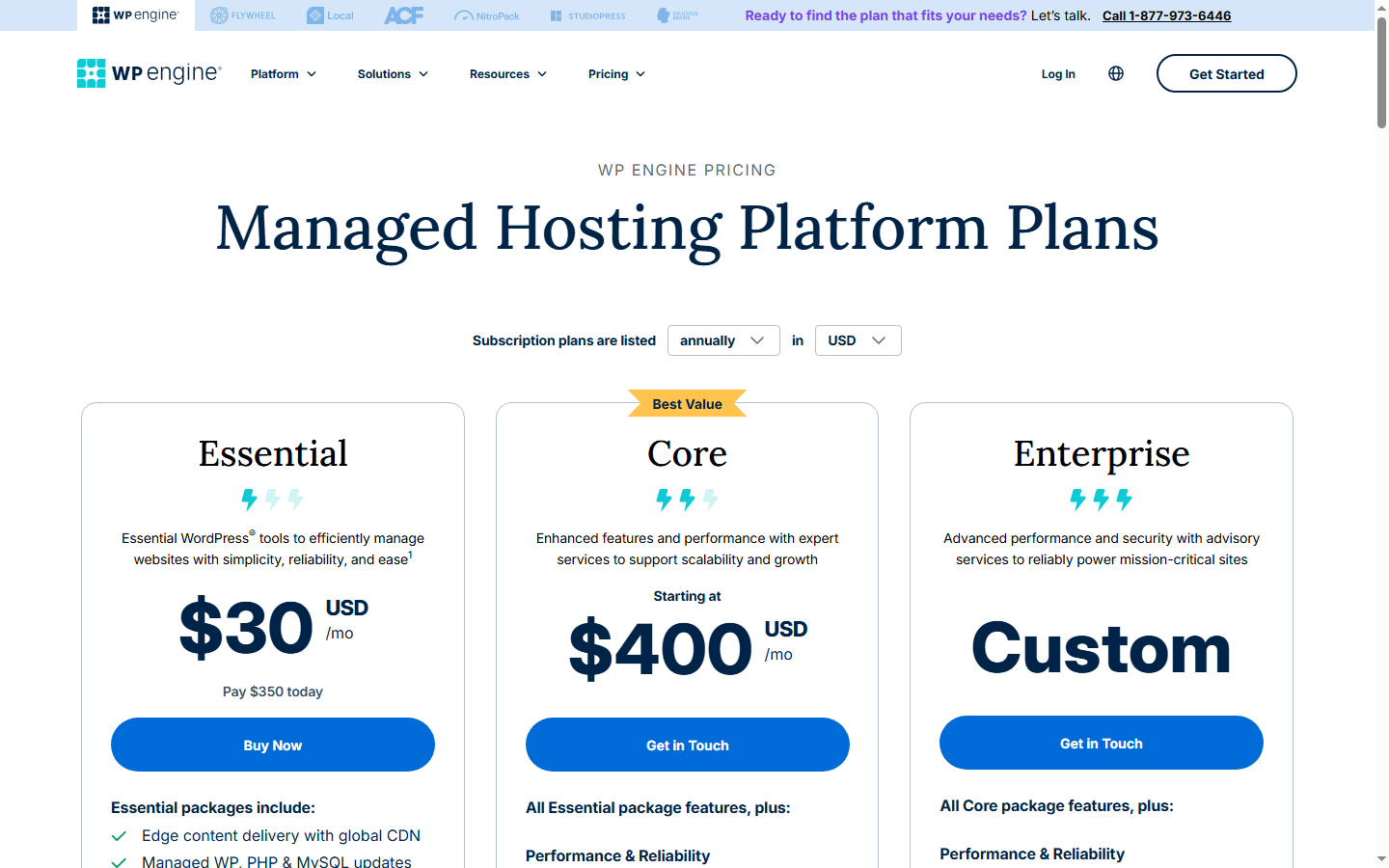
WP Engine's pricing page shows you $30, $55, $109, $276 per month for Startup through Scale. Clean numbers, annual billing. What the page doesn't show you are three multipliers that compound against you over time.
The Visitor Count Gap
WP Engine counts "visits" by unique IP addresses per day. Your analytics tool counts sessions by human behavior — page views with intent, filtered for bots. These are not the same number.
On Trustpilot, one user reported WP Engine showing 300,000 monthly visitors while Google Analytics showed 60,000. Another found their dashboard claiming 8,800 visits against 65 GA sessions — a 135x gap. A third described WP Engine claiming a 52x traffic increase that they called "laughable."
Not every case is that extreme. But a consistent 2-3x gap between GA sessions and WP Engine visitor counts is common enough that it shows up in multiple independent reviews. If your GA says 50,000 visits, WP Engine might see 100,000-150,000. That's the difference between the Startup plan and the Growth plan. A plan jump you didn't choose — your traffic just got counted differently.
As of September 2025, WP Engine started excluding suspected bots from billable counts, not just known bots. Whether that narrows the gap enough depends on your specific traffic mix. But the structural incentive remains: WP Engine profits when your visit count is higher.
Renewal Pricing
WP Engine's promotional rates — the $25-$30/month you see in ads — apply to your first billing cycle. Renewal rates increase. Multiple sources cite approximately $10/month higher at renewal, though WP Engine doesn't publish a clear before/after schedule. A Startup plan at $30/month becomes roughly $40/month in year two. Across four plans and two years, the effective annual cost is 25-30% higher than what the pricing page implies.
The Plugin Tax
WP Engine blocks certain WordPress plugins. Caching plugins — because EverCache replaces them. Some backup plugins — because WP Engine has its own backup system. Some related-posts plugins that generate high server load. The list includes popular options that many WordPress users rely on.
In isolation, each restriction makes technical sense. WP Engine's caching layer conflicts with third-party caching plugins. Fine. But the cumulative effect is lock-in. You can't use your preferred backup plugin, so you use WP Engine's backups. You can't install your caching plugin, so you depend on EverCache. When you want to leave, you need to replace an entire toolchain, not just change a DNS record.
And WP Engine sells premium add-ons for some of the capabilities they've restricted. Smart Plugin Manager — automated plugin updates with visual regression testing — costs $100/month on top of your hosting plan. Security add-ons that include WAF and malware scanning aren't included in the base Startup plan. The insurance policy has deductibles.
The Decay Curve: When the Premium Stops Making Sense
This is the section I couldn't find anywhere in the SERP. Every "is WP Engine worth it" article treats value as binary. It's not. It decays along a predictable curve tied to three variables: how many sites you run, how much traffic you get, and what skills you've picked up along the way.
I ran the numbers for three scenarios, comparing WP Engine's cost against a self-managed stack — Cloudways on DigitalOcean (managed, but resource-priced) plus RunCloud as a panel layer for those who want to skip Cloudways entirely and go direct.
One Site, ~25K Visits/Month
WP Engine Startup: $30/month. Cloudways on DigitalOcean 1GB Premium: $14/month. The gap is $16/month, $192/year. For that $192, you get staging with one click instead of setting it up yourself, support that knows WordPress instead of generic server support, and automatic core/plugin updates. If your site earns more than $200/year — and if it's a business site, it should — WP Engine's markup is the cost of a good dinner. Not worth agonizing over.
Verdict at this scale: WP Engine is worth it. The insurance premium is proportional to the risk.
Five Sites, ~150K Visits/Month
This is where the math starts to turn. WP Engine's Growth plan covers 10 sites and 100,000 visits at $109/month. But your GA says 150K — which might register as 225,000-300,000 in WP Engine's visitor counter. If WP Engine sees 300K, you're past the Growth plan's 100K cap by 200K visits. Overage: $400/month. Your actual bill: $509/month.
Or you preemptively upgrade to Scale ($276/month) to avoid overages. Scale covers 400K visits and 30 sites. Safe margin — until your traffic grows another 50%.
The alternative: a Cloudways DigitalOcean 2GB server at $24/month handles 5 medium-traffic WordPress sites comfortably. Add RunCloud Professional at $19/month if you want a management panel on top. Total: $43/month. Or go direct to DigitalOcean at $12/month plus RunCloud at $19/month — $31/month total.
WP Engine at this scale costs 6-12x the self-managed alternative. You're paying $233-$466/month for "not thinking about it." And here's the thing: by the time you're running 5 sites, you've already learned enough to think about it. You've configured DNS, set up SSL, maybe debugged a plugin conflict. The skill you're insuring against — not knowing how servers work — is a skill you're developing whether you want to or not.
Fifteen-Plus Sites, 500K+ Visits/Month
The curve breaks completely. WP Engine Scale covers 30 sites and 400K visits at $276/month. Your GA shows 500K, WP Engine probably sees 750K-1M. Overage for 350K-600K extra visits: $700-$1,200/month. Total: $976-$1,476/month.
A Cloudways DigitalOcean 4GB server at $46/month runs 15+ WordPress sites with room to spare. RunCloud Business at $49/month for the panel. Total: $95/month. Even if you add a second server for redundancy — $141/month — you're at a fraction of WP Engine's cost.
That seven-year customer paying $7,000/month on Trustpilot? They're deep into Scenario 3 territory. The WebHostingTalk user with 150-200K GA visitors being told to upgrade to a $5,000/month plan? Same curve, same trajectory.
The crossover point — where WP Engine's premium exceeds 3x the alternative — sits around 3-5 sites and 100K+ monthly visits in GA. Past that, every additional month on WP Engine is a choice to pay more for less.
Graduation Requirements
I'm not going to pretend leaving WP Engine is free. It's not a DNS change. There's a skill threshold, and if you're below it, the migration will cost you more in time and stress than WP Engine's markup costs in money.
Here's the checklist I use when clients ask me whether they should leave:
Can you SSH into a server and find your way around the filesystem? Not do anything fancy — just connect, find your web root, check a log file. If SSH feels alien, you're not ready.
Do you understand DNS well enough to change nameservers and set up A/CNAME records? If you've ever migrated a domain between registrars, you probably know enough. If DNS is a mystery box, WP Engine is saving you from yourself.
Can you set up a basic caching strategy? Page cache, object cache (Redis), a CDN. You don't need to be an expert. You need to know what these layers are and that they exist. RunCloud and Cloudways handle the implementation — but you need to know which buttons to push and why.
Do you have a backup strategy that doesn't depend on your host? DigitalOcean snapshots plus a daily database dump to off-site storage. Or UpdraftPlus to S3. Anything that means losing your server doesn't mean losing your data. If your only backup plan is "my host does it," you're paying WP Engine for a safety net you haven't learned to build yourself.
All four? You're ready. The migration itself takes a weekend. I've done it in under a day for a straightforward WordPress site — export the database, rsync the files, update wp-config, point DNS, test. WP Engine's free migration service works in the other direction too: they'll import your site for free. But you're trying to leave, not arrive.
Missing two or more? Stay. WP Engine's premium is the cost of skills you haven't developed, and that's a legitimate expense. Nobody criticizes you for paying a mechanic instead of learning to change your own oil.
Three Scenarios Where WP Engine Is Still the Right Call
The decay curve has exceptions. They're narrow, but they're real.
Non-technical founder, one critical site, revenue under $10K/month. You built a business, not a tech career. Your WordPress site is a revenue channel, not a hobby. You don't want to learn server management, and the $30-55/month for WP Engine is a rounding error on your operating costs. The insurance premium is tiny relative to the risk. Stay.
Agency selling hosting to enterprise clients who require compliance certifications. WP Engine has SOC 2 Type II and ISO 27001. Cloudways does not. RunCloud definitely does not. If your client's procurement team needs those letters on a compliance checklist before they'll sign, WP Engine is one of very few managed WordPress hosts that can provide them. The markup isn't for hosting — it's for the certification that lets you win the contract. That's a different calculation entirely.
Teams building on Atlas (WP Engine's headless WordPress platform). If you're running a decoupled frontend — React or Next.js consuming WordPress as a headless CMS — Atlas integrates WP Engine's infrastructure with the Faust.js framework in a way that doesn't have a direct equivalent elsewhere. You can build headless WordPress on any host, but Atlas removes enough friction that the premium makes sense if headless is your architecture, not an experiment.
Outside these three? The decay curve applies. And it only goes in one direction.
My Rule and What I'd Do Today
I've deployed client sites on WP Engine. Good experience for the first site — the onboarding is smooth, staging works exactly as advertised, support resolved a caching conflict with a client's custom theme in about 40 minutes on chat. No complaints at that scale.
I've also sat with a client who was paying $276/month on Scale and helped them move to a Vultr 4GB instance managed through RunCloud. Their monthly hosting cost dropped from $276 to $55 — the $46 Cloudways DigitalOcean 4GB tier, because they didn't want to go fully self-managed. Their site speed stayed the same. Their uptime stayed the same. The thing they lost was the ability to call WP Engine support at 3 AM, and in three years since the migration, they've never needed to.
My rule, the one I tell every client: when your WP Engine bill exceeds 2.5x what you'd pay on Cloudways for equivalent resources, start planning your exit. Not tomorrow — start learning. SSH into a staging server. Set up a test site on Cloudways. Get comfortable with the tools. By the time your WP Engine renewal hits, you'll know whether you're ready.
If you're reading this on a Startup plan with one site and it's working? Don't fix what isn't broken. WP Engine at $30/month is a fair deal for managed WordPress. Enjoy it. Check back when your business grows — because the deal won't grow with you.
FAQ
Is WP Engine faster than Cloudways?
On a stock WordPress install with no optimization, WP Engine's EverCache gives it an edge — response times around 4.5ms in controlled testing. Cloudways on a DigitalOcean Premium droplet with Redis and a CDN configured properly gets you into the same range, sometimes faster. The difference is who does the tuning: WP Engine does it for you, Cloudways expects you to toggle the right settings. Neither is "faster" in absolute terms. One is faster out of the box.
Can I switch from WP Engine to Cloudways without downtime?
Yes. Set up the Cloudways server, migrate the site using the Cloudways WordPress Migrator plugin, test on a temporary URL, then switch DNS. Total visible downtime is just DNS propagation — usually under an hour if you lower your TTL in advance. I've done this migration four times for different clients and the longest took about three hours end to end, most of that waiting for DNS.
What about the WordPress.org dispute from 2024?
In late 2024, Automattic (which runs WordPress.org) temporarily blocked WP Engine from accessing the WordPress.org plugin repository, citing a trademark dispute and claiming WP Engine was profiting from WordPress without contributing enough back. WP Engine sued. The block was lifted. The legal dispute is ongoing as of early 2026.
Does this affect day-to-day hosting? Right now, no. Your plugins update normally. But it exposed a structural dependency: WP Engine's entire product is built on WordPress, and WordPress.org controls the plugin ecosystem. If the relationship deteriorates further, WP Engine users could face plugin access disruptions again. It's not a reason to leave today, but it's a risk factor that didn't exist before 2024, and no other managed WordPress host has this specific vendor relationship problem.
Is WP Engine's support really better than cheaper hosts?
At the Startup tier, support is chat-only. Phone support unlocks at Professional ($55/month). The quality is genuinely above average — agents understand WordPress architecture, not just "have you tried clearing your cache." But the gap has narrowed. Cloudways support is competent for server-level issues. Kinsta's support is comparable to WP Engine's. The support premium was more distinctive three years ago than it is now.
What happens if I exceed my WP Engine visitor limit?
You get charged $2 per 1,000 excess visits. There's no automatic shutdown or throttling — your site stays up, and the overage appears on your next invoice. The catch is that WP Engine's visitor count runs higher than Google Analytics, so your "safety margin" is smaller than you think. If your GA shows you're at 80% of your plan's limit, you might already be over in WP Engine's count. Check your WP Engine dashboard's traffic meter, not just GA, before assuming you have headroom.