Every comparison post on the first page of Google tells you Kamatera starts at $4/month and DigitalOcean starts at $6/month. Both numbers are real. Both are useless for making a production hosting decision.
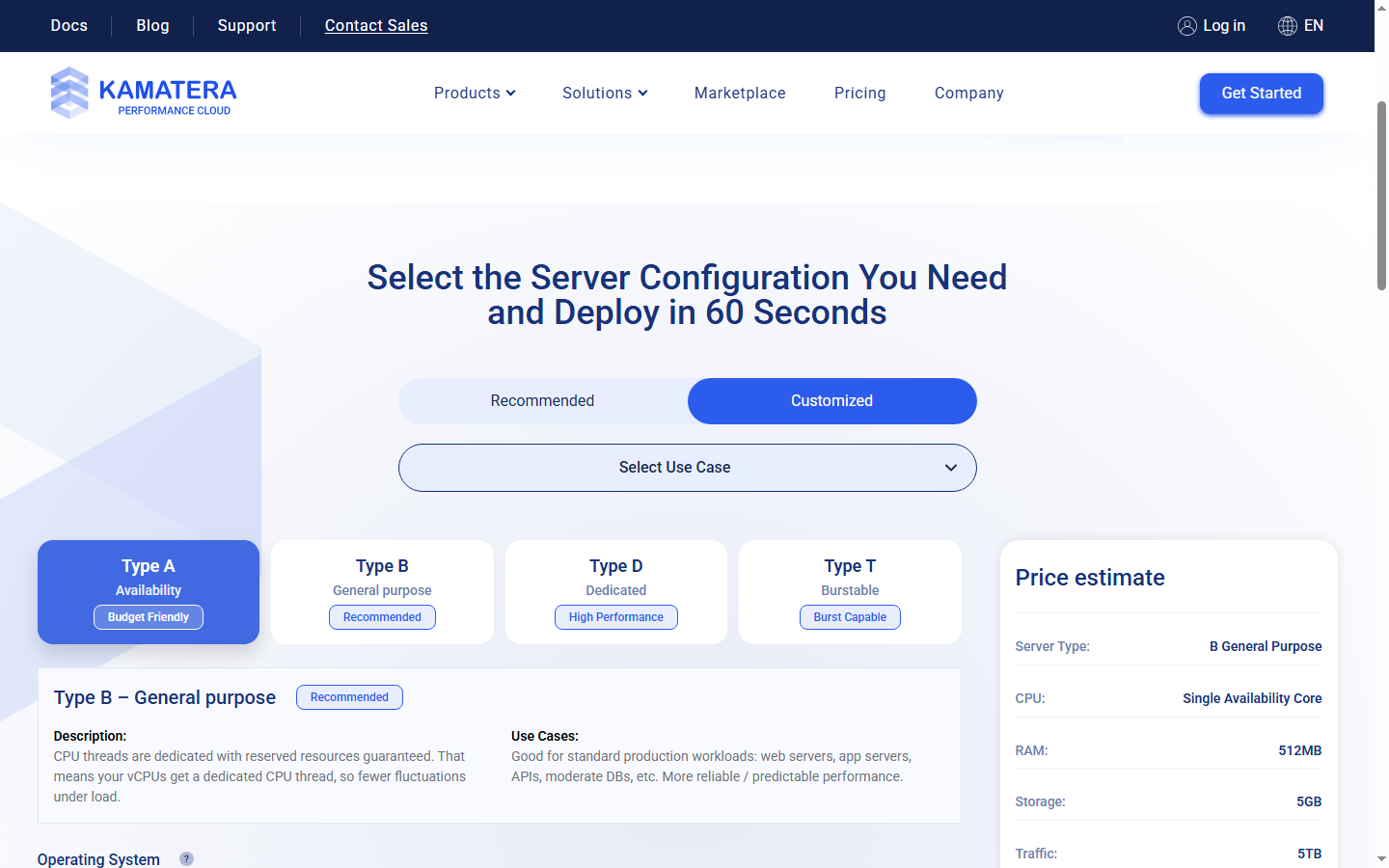
Kamatera's $4/month buys a Type A server — shared CPU, 1 vCPU, 1 GB RAM, 20 GB SSD. Kamatera's own documentation calls Type A suitable for "micro-services, small to medium applications, and development environments." It's the demo car on the showroom floor. Configure what you'd actually deploy — a Type B general-purpose server with dedicated CPU threads, 2 vCPUs, 4 GB RAM, and 80 GB SSD — and the configurator quote lands around $22/month. DigitalOcean's closest equivalent, a Basic Droplet with 2 vCPUs, 4 GB RAM, and 80 GB SSD: $24/month.
The gap everyone argues about is roughly $2 per month. $24 per year. One bad lunch. And it's the wrong thing to argue about entirely, because the real difference between these two platforms shows up when your credit card expires, when you forget about an idle server, or when your freshly deployed Kamatera IP is already on three spam blacklists.
What You Actually Pay at Equal Specs
| Spec | Kamatera Type A (shared CPU) | Kamatera Type B (dedicated thread) | DO Basic (shared CPU) |
|---|---|---|---|
| 1 vCPU / 1 GB / 20-25 GB SSD | ~$4/mo | ~$10/mo* | $6/mo (25 GB, 1 TB transfer) |
| 2 vCPU / 4 GB / 80 GB SSD | Not recommended for production | ~$22/mo (5 TB transfer) | $24/mo (80 GB, 4 TB transfer) |
| 4 vCPU / 8 GB / 160 GB SSD | Not recommended for production | Check configurator at kamatera.com/pricing | $48/mo (160 GB, 5 TB transfer) |
*Kamatera's verified base Type B price is $10/mo for 1 vCPU / 512 MB / 5 GB. A 1 GB / 20 GB config will cost more — use the configurator for exact pricing. Kamatera prices are component-based and vary by data center. DO pricing verified March 2026; Kamatera configurator checked April 2026.
Two things jump out of that table. First, Type A — the $4 tier every blog compares — isn't a production option. Kamatera recommends Type B for anything serving real traffic, and Type B at the 2 vCPU / 4 GB spec runs roughly $22. Second, at that production tier, Kamatera gives you a dedicated CPU thread for $2/month less than DigitalOcean's shared-CPU Basic Droplet. Dollar for dollar, Kamatera is the better compute deal at this spec — but only after you stop looking at the headline price.
The annual math: roughly $264/year at Kamatera versus $288/year at DigitalOcean. A $24 annual difference. If $24/year is what decides your hosting provider, you have bigger problems than which cloud to pick.
One cost that doesn't show up in the table: Kamatera charges $0.01/GB for traffic beyond the included 5 TB, and $0.05/GB/month for additional storage. DigitalOcean includes 4 TB at the $24 tier (check DO's pricing page for current overage rates). For most production web servers, neither limit matters. For bandwidth-heavy applications pushing 10+ TB/month, run the overage numbers before choosing either platform.
What Breaks When Things Go Wrong
This is where the real comparison lives. Not in the monthly rate — in the failure mode.
| Scenario | Kamatera | DigitalOcean |
|---|---|---|
| Missed payment | Server suspended; data retained (duration unclear in docs) | 14 days suspended → permanent deletion, unrecoverable |
| Stopped/idle server | Monthly billing continues on stopped servers | Powered-off Droplets billed at full rate (disk still allocated) |
| Cancellation | Must delete servers first; reports of post-cancel charges | Must destroy all resources; leftover floating IPs/volumes still bill |
| IP reputation | Widespread blacklisting reported (2025-2026) | Generally clean; DMCA takedown risk without warning |
| Support escalation | No phone; PTR requests denied without explanation | No phone; limit increases require scheduled call, 1-week wait |
| Billing model | Monthly or hourly (billed per minute) | Per-second billing (since Jan 2026), monthly cap |
DigitalOcean's 14-day deletion policy is the single most dangerous billing failure mode in mainstream cloud hosting. One Trustpilot reviewer described the aftermath: "A 5-year customer missed a payment deadline by 2 days and had 4 years of work deleted, with DigitalOcean only offering to create a new droplet." The dashboard shows the Droplet status as "off" during suspension — not "destroyed" — which creates a false sense of recoverability. It's not recoverable. After day 14, everything on that server is gone.
Kamatera's billing trap is subtler. Stopping a server doesn't stop the bill. If you come from shared hosting where "suspend" means "stop paying," IaaS catches you — your disk and IP are still allocated when a server is powered off, and both platforms bill for allocated resources regardless of power state. Kamatera's monthly billing cycle makes this less visible than DO's per-second invoicing.
Cancellation is where Kamatera gets ugly. One reviewer reported: "After cancelling, the customer was still charged in subsequent months, and their credit card company's request to stop the charges was ignored." Kamatera's cancel flow requires you to delete every server, then cancel the subscription, then remove your card — in that order. Miss a step and you keep paying.
The IP Reputation Problem Nobody Mentions
This is Kamatera's structural weakness, and it doesn't appear in a single comparison article on the first two pages of Google.
A Trustpilot reviewer tested it directly: "Every Kamatera IP I checked was on multiple blacklists for spam and fraud, meaning any emails sent would end up in spam folders." This isn't one bad IP in one data center. The pattern shows up across multiple Kamatera locations in user reports from 2025 and 2026. If you deploy a server and plan to send any email from it — transactional, notification, or marketing — check MXToolbox and Spamhaus before you configure anything else. If the IP is listed, your only option is to destroy the server and spin up a new one, hoping the next IP draws clean.
DigitalOcean doesn't share this IP problem at the same scale, but it has a different operational risk. A Capterra reviewer described how "DigitalOcean sent a copyright-related notice that went to spam, then blocked the server's public IP without further warning. This caused a major outage for their client." No advance notice in the dashboard. No grace period. The notification that your production server is about to go dark arrives in your junk folder.
Neither platform gives you a reliable way to prevent these scenarios. They're structural risks you absorb when you choose self-serve cloud infrastructure.
Component Shop vs Developer Platform
Strip away the pricing noise and the risk factors, and these two platforms are fundamentally different products wearing similar labels.
Kamatera is a component shop. You pick CPU type, core count, RAM, storage size, and data center from 19 locations across 4 continents. That's the product. No managed databases, no object storage, no app deployment platform, no serverless functions. If you need PostgreSQL, you install it yourself. If you need S3-compatible storage, you set up MinIO or sign up somewhere else. The configurator's flexibility is genuine — you can spec a server at exact increments that DigitalOcean's fixed tiers don't allow — but everything beyond raw compute is on you.
DigitalOcean started as the same kind of bare-compute platform but has spent the last several years building an ecosystem: Managed PostgreSQL and MySQL, Spaces for S3-compatible object storage, App Platform for container deployments, and Functions for serverless workloads. That ecosystem creates real productivity gains for teams that use it — and real lock-in for teams that depend on it. Every managed service you adopt is another migration you'll need to plan if you leave.
This isn't a quality difference. It's a scope difference. If your deployment is "Linux server running my stack, I handle the rest," both platforms serve the compute and Kamatera's dedicated CPU thread at the $22 tier arguably serves it better. If your deployment needs a managed database, object storage, and a CI/CD pipeline without bolting on three external services, that's DigitalOcean's territory — and Kamatera doesn't have an answer.
The pure-IaaS model also surfaces an operational cost that Kamatera's pricing page won't show you. Multiple Trustpilot reviews describe the same pattern: "Users who stopped using servers but didn't explicitly delete them, then got charged for idle resources." When every component is self-managed, every component is self-billed — including the ones you forgot about.
Verdict
For pure compute — a production web server, an app backend, a self-managed database — Kamatera is the better deal at the 2 vCPU / 4 GB tier. Roughly $22/month gets you a dedicated CPU thread that DigitalOcean charges $24/month to share. The configurator lets you spec exactly what you need instead of rounding up to the nearest fixed tier. And 19 data centers across 4 continents gives you geographic options that DO's network can't always match.
For anything that needs managed services — hosted databases, object storage, app deployment — DigitalOcean is the only choice between these two. Kamatera doesn't offer managed infrastructure. If your stack needs it, the comparison is over before it starts.
For email: neither. Don't send email from either platform's server IPs. Use SendGrid, Amazon SES, or Postmark. Kamatera's blacklist problem makes this non-negotiable, and DigitalOcean's port 25 restrictions make it impractical.
For managed WordPress: neither. Both are unmanaged IaaS platforms that require you to install, configure, and maintain everything yourself. If one-click WordPress with managed updates is what you need, Cloudways or Kinsta is the right product category — not raw cloud compute.
The real verdict isn't about picking a winner. It's about knowing which failure mode you can live with. Deploy on Kamatera: check every IP against blacklists on day one, route all email through external SMTP, and delete — never just stop — servers you're done with. Deploy on DigitalOcean: add a backup payment method before you deploy anything, enable billing alerts, and maintain automated off-platform backups that survive even if DO wipes your account on day 15 of a missed payment.
The $2/month difference is a rounding error. The recovery cost when one of these platforms breaks your production environment is not.
FAQ
Is Kamatera really cheaper than DigitalOcean?
At headline prices, yes — $4/month versus $6/month. But that $4 buys a Type A shared-CPU server labeled for development use in Kamatera's own docs. Configure a production-grade Type B server with 2 vCPUs, 4 GB RAM, and 80 GB SSD, and the configurator quotes roughly $22/month. DigitalOcean's equivalent Basic Droplet: $24/month. The real gap is about $2/month — $24/year. Kamatera does give you dedicated CPU threads at that price versus DigitalOcean's shared allocation, which makes the per-dollar compute value slightly better. But $24/year is not a meaningful decision factor when a single billing mistake on either platform can cost thousands in downtime and data recovery.
What happens if I miss a DigitalOcean payment?
Your Droplets are powered off and suspended. You have 14 days to resolve the payment. On day 15, DigitalOcean permanently destroys all suspended resources — Droplets, volumes, snapshots, everything. This is not recoverable. The dashboard may show your Droplet as "off" rather than "destroyed" during the suspension window, which misleads some users into thinking they can restore it by paying the balance. They can't. Protect yourself: add a backup payment method before you deploy, enable billing email alerts, and maintain automated off-platform backups to Backblaze B2, Wasabi, or another S3-compatible provider that isn't tied to your DO account.
Can I use Kamatera for email hosting?
Technically yes, but I'd strongly advise against it. Multiple Trustpilot reviewers in 2025-2026 report that Kamatera IPs across multiple data centers are pre-listed on spam blacklists including Spamhaus and Barracuda. Email sent from these IPs goes straight to spam or gets rejected. Even if you get a clean IP on deployment, it may end up blacklisted later due to other Kamatera customers on the same IP range. The practical solution: route all email — including transactional — through an external SMTP service like SendGrid, Amazon SES, or Postmark (check their sites for current pricing and free tiers). Budget external SMTP as a required add-on, not an optional one.
Does Kamatera have managed databases like DigitalOcean?
No. Kamatera is pure IaaS. You get a virtual server with CPU, RAM, storage, and network. Database installation, configuration, backups, version upgrades, and failover are entirely your responsibility. DigitalOcean offers Managed PostgreSQL and MySQL with automated daily backups, point-in-time recovery, and read replicas. If you're comfortable managing your own database server and want to save on the managed premium, Kamatera works — you'll install PostgreSQL or MySQL on a Type B server and handle maintenance yourself. If automated database management is a hard requirement, DigitalOcean is the only option between these two providers.
Which is better for a WordPress site — Kamatera or DigitalOcean?
Neither is built for WordPress. Both are unmanaged cloud platforms where you'd install and maintain WordPress yourself — OS updates, PHP versions, security patches, Nginx/Apache configuration, caching setup, SSL renewal. If you go this route, pair either platform with a server management panel like RunCloud, ServerPilot, or Ploi (check their sites for current pricing — most run under $15/month). Total monthly cost would be the VPS fee plus the panel fee, landing in a similar range for both providers. If you don't want to manage server infrastructure at all, both providers are the wrong answer. Look at Cloudways (managed cloud hosting) or Kinsta (managed WordPress) instead. Different product category, different price range, and you'll never have to worry about a missed payment deleting your WordPress site in 14 days.
How do I cancel Kamatera without getting charged?
Follow this exact sequence. (1) Log into the management console and delete every server — go to each one individually, confirm deletion, and verify it disappears from your server list. Stopped servers still bill. (2) Cancel any remaining paid services: DNS zones, load balancers, managed service subscriptions, anything with a recurring charge. (3) Go to billing settings and remove your payment method. (4) Screenshot every step, including the final empty dashboard with zero active resources and zero upcoming charges. (5) Monitor the card you used for 3 months. Multiple users report charges appearing after cancellation — whether from billing system delays or resources that weren't fully terminated. If unauthorized charges appear, file a chargeback with your bank and attach the screenshots as evidence. The extra 10 minutes documenting the cancellation can save you months of fighting phantom invoices.
Last updated: April 2026. DigitalOcean pricing verified against official pricing page, March 2026. Kamatera pricing from official configurator tool, April 2026. Kamatera's component-based pricing varies by data center and exact configuration — verify at kamatera.com/pricing before purchasing.