Affiliate disclosure: Some links in this article are affiliate links. If you purchase through them, I earn a commission at no extra cost to you. I only recommend services I've personally tested.
Last November, I moved a client's WooCommerce store to Kinsta. She sells handmade candles — around 140 SKUs, decent product photography, maybe 1,200 orders a month on a good stretch. We picked the Starter plan. Thirty-five bucks a month. Easy.
Then Black Friday hit.
Her site started throwing 502 errors around 11 AM EST. Not a ton of traffic — Google Analytics showed roughly 900 concurrent sessions at the peak, which isn't crazy for a flash sale. But Kinsta's Starter plan runs on 2 PHP threads. Two. That means two simultaneous dynamic requests before the third person in line gets a loading spinner or a flat-out error.
I upgraded her to Business 1 mid-sale. The overages from that morning — visits that had already been counted, CDN bandwidth from all those product images — those stayed on the bill. By the time December's invoice landed, the total was $247.
Not $35. Not even close.
And here's the thing I need to say up front: Kinsta didn't do anything wrong. Every charge was documented. Every overage rate was on their pricing page. The problem wasn't hidden fees — it was that $35 gave us the wrong mental model for what Kinsta actually costs.
That's what this article is about. Not the pricing page. The bill.
What $35 Actually Gets You
Let me break down the Starter plan, because the number you need to focus on isn't the price — it's the resources.
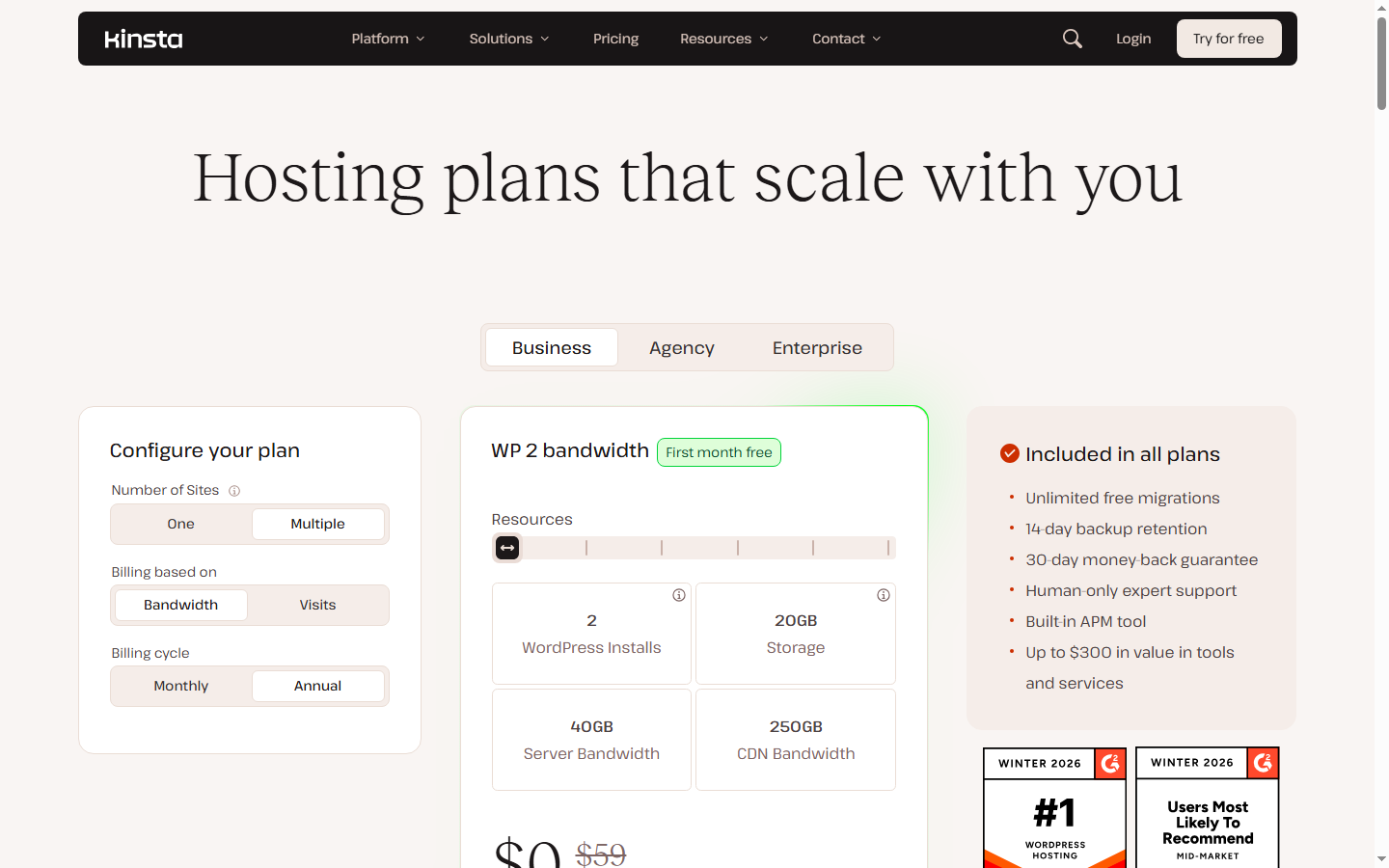
For $35/month (or $29.17 if you pay annually), you get:
2 PHP threads. This is the real constraint. A PHP thread handles one dynamic request at a time. Static assets like images and CSS get served through Cloudflare's CDN and don't touch your PHP threads. But every WooCommerce checkout, every logged-in dashboard load, every AJAX cart update — that's a PHP thread. Two threads means two of those happening simultaneously. The third one waits.
25,000 monthly visits. Kinsta counts a visit as one unique IP address per 24-hour period. A human visitor browsing five pages is one visit. But a bot hitting your site once is also one visit. More on that shortly.
10 GB disk space. WordPress core plus WooCommerce plus a dozen plugins takes 1-2 GB. Add 500 product photos at 300 KB each, and you're at 2-3 GB. Seems fine — until you factor in backups, logs, and a year's worth of order data. My client's site was at 7.3 GB by month four.
100 GB CDN bandwidth. Generous for a blog. Tight for an image-heavy store during a promotion.
Here's the disconnect: Kinsta markets itself to "businesses and enterprises that demand top-tier performance." Their homepage showcases WooCommerce sites, membership platforms, agency workflows. These are not 2-PHP-thread use cases. A WooCommerce store handling 50+ concurrent shoppers needs 8 to 12 PHP threads minimum — and that's Kinsta's Business 1 tier at $115/month, not Starter.
The $35 plan works for a personal blog getting 200 visitors a day. A portfolio site. A brochure site for a local business. But those aren't the people searching "Kinsta pricing" — you're here because your site matters enough to consider managed hosting. If it matters that much, you're almost certainly not going to stay on $35.
The Four Ways Your Bill Grows
Kinsta has four mechanisms that push your monthly cost above the base plan price. None of them are hidden — they're all in the docs. But nobody reads hosting docs until the invoice arrives.
PHP thread exhaustion. When your site exceeds its PHP thread allocation, requests queue up and eventually return 502 errors. The fix is either upgrading to a higher tier or buying Kinsta's PHP Performance add-on. The gap between Starter (2 threads) and Pro (4 threads) is $35/month. The gap between Pro and Business 1 (6 threads) is another $45/month. For a WooCommerce site that actually processes orders during busy hours, you're realistically starting at Business 1 — $115/month — not $35.
Visit overages. Exceed your plan's visit limit and Kinsta charges $0.50 per 1,000 additional visits while keeping your site online. The wrinkle is how visits are counted. Unique IP per 24-hour window — bots included. Redirects included. Imperva's 2024 Bad Bot Report found automated traffic accounted for over 51% of all web traffic. Kinsta's CTO Daniel Pataki put their internal estimate "likely above 50%." So a site with 25,000 real human visitors might register 40,000-50,000+ in Kinsta's counter. At $0.50 per 1,000 excess, that's $7-12 per month in quiet overage.
Kinsta launched bandwidth-based billing in November 2025 as an alternative — I'll break down which model saves money in the next section.
Disk space charges. Kinsta charges $2 per GB per month for storage that exceeds your plan's limit, prorated daily. The disk space add-on ($20 per 20 GB) is slightly better at $1/GB.
Here's where the math gets uncomfortable: Cloudflare R2 charges $0.015 per GB per month. That's a 133x markup.
Is the comparison fair? Not entirely. Kinsta's storage sits on Google Cloud Platform's premium tier infrastructure, it's managed, backed up daily, integrated into their deployment pipeline. You're paying for convenience, not just bytes. But if you have 30 GB of product photos and your plan includes 10 GB, that's $40/month for the extra 20 GB at overage rates. The same files on R2, served through the same Cloudflare CDN that Kinsta uses? About $0.30/month. The files don't need PHP processing. They don't need a database. They just need to exist and be served.
CDN bandwidth overages. $0.05 per GB beyond your plan's CDN allocation. On most plans this is the quietest pressure point — CDN limits are generous. But for image-heavy ecommerce sites running holiday sales, it can add $10-30 to a busy month.
The Real Kinsta Pricing Tiers
Forget the plan names for a minute. Here's what three different types of Kinsta customers actually pay.
Scenario A: Personal blog, 5,000 visits/month. WordPress with a lightweight theme, Yoast, a contact form. Maybe 2 GB of content total. Starter plan, annual billing. Your bill: $29/month. No overages, no add-ons, 2 PHP threads is plenty because your traffic is low and almost entirely cacheable. This is the one scenario where the pricing page matches reality.
Scenario B: Growing WooCommerce store, 50,000 real visits/month. Around 140 products, decent photography, WooCommerce with a membership or subscription plugin. You need Business 1 for the PHP threads (6) and the 100K visit cap — because with bot traffic, your 50K humans show up as 80K-90K on the meter. Your media folder is 22 GB; the plan includes 30 GB, so you're okay for now. But you want Redis for faster cart sessions and checkout. Redis is $100/month.
Monthly bill: $115 (Business 1) + $100 (Redis) = $215/month.
If your media grows past 30 GB, add $20/month per 20 GB increment. Over 12 months, with two months of visit overages during peak seasons: roughly $2,700/year. That's $225/month effective.
Scenario C: Agency managing 5 client sites. Mix of WooCommerce and content sites, 50K-100K visits each. Business 2 ($225/month) gets you 10 sites, 250K visits, 40 GB disk, 8 PHP threads. Two of the sites run WooCommerce and need Redis — that's $200/month in add-ons. Disk usage across 5 active sites with media hovers around 55 GB, so you need a disk add-on ($20).
Monthly bill: $225 + $200 + $20 = $445/month. Goes higher if visits spike or you need premium staging environments ($20/month each).
Now — here's the turn. These numbers aren't bad.
Kinsta at $215/month for a WooCommerce store running on Google Cloud C3D machines, with Cloudflare Enterprise-tier edge caching, daily backups, free staging, one-click rollbacks, and support from people who actually understand WordPress internals — that's a real proposition. Pressable at $25/month has a lower TTFB (341 ms vs Kinsta's 469 ms origin, per HostingStep), but you give up the GCP hardware and the Cloudflare Enterprise CDN. Cloudways on a $28 DigitalOcean server includes Redis for free and costs a third of the price, but you're managing more of the stack yourself.
The problem was never the price. It was that the pricing page led with $35 and let you believe that number had something to do with your use case.
Once you recalibrate to the $115-$300 range, Kinsta starts making sense again.
Visit-Based or Bandwidth-Based: How to Pick
In November 2025, Kinsta gave everyone a second billing option. Instead of counting visits (unique IPs per day), you can choose bandwidth-based pricing — same plan prices, same features, same support, but your usage limit is measured in server bandwidth instead of visitor count.
The equivalents roughly line up: Starter is 25,000 visits or 20 GB bandwidth. Business 1 is 100,000 visits or 65 GB bandwidth.
When bandwidth wins: Text-heavy blogs with significant bot traffic. If your site is mostly articles with a few images, each real page load might consume 200-400 KB. Bots consume even less — they're mostly grabbing HTML. A site getting 20,000 human visitors and 15,000 bot "visits" would show 35,000 on visit-based billing — that's 10,000 over the Starter cap and $5 in overages. On bandwidth-based billing, the same traffic uses maybe 8-12 GB total. Well under the 20 GB limit. No overage.
When visits win: Media-heavy sites with moderate traffic. If your WooCommerce store serves fat product pages — 2-3 MB each with high-res images — bandwidth stacks up fast even with fewer visitors. 15,000 visitors at 3 MB average = 45 GB of server bandwidth. On the Starter bandwidth plan, that's 25 GB over the 20 GB limit — $12.50 in overages. On visit-based billing, 15,000 visits is well under the 25,000 cap. Zero overage.
The decision framework I've been using with clients: check your server-side bandwidth in MyKinsta for the past 3 months and divide by your visit count. If bandwidth-per-visit is under 0.8 MB, go bandwidth-based. If it's over 1.5 MB, stick with visits. In between — test both for a month and compare.
You can switch between models in MyKinsta without contacting support. Kinsta doesn't get enough credit for this — it's a genuinely pro-customer move, and it exists because they're responding to the real problem that bot traffic creates for visit-based billing.
When 00/Month Is Actually Worth It
I've spent four sections showing you why Kinsta costs more than the pricing page implies. I have to be honest about the other half: sometimes the real price earns its keep.
The Cloudflare Enterprise CDN. Kinsta includes Cloudflare Enterprise-tier edge caching on every plan — even the $35 Starter. This is not the free Cloudflare tier. It's not the $20/month Pro plan. It includes enterprise-grade edge caching, image optimization, Early Hints, and automatic platform optimization from 300+ global PoPs.
I need to be precise here: Kinsta doesn't hand you the full Cloudflare Enterprise suite with Bot Management, advanced WAF customization, and custom SLAs. What they include are the CDN and performance features at enterprise tier. The distinction matters. But the CDN portion alone transforms Kinsta's performance profile — origin TTFB of 469 ms (tested by HostingStep over 1,960+ days of monitoring) drops to 98 ms from North America with edge caching enabled, per NorthiScale's tests. Cloudflare's standalone Business plan starts at $200/month. Even partial access to Enterprise-tier features at $35/month is significant.
Free hack remediation. If your WordPress site gets compromised on Kinsta, they clean it up at no charge. Malware removal through services like Sucuri typically runs $200-500 per incident. Happens once, and a chunk of your annual hosting cost just justified itself.
GCP C3D hardware. Kinsta's WPBench hardware score of 8.8 is the highest recorded by any managed WordPress host — and it's held that spot for over five years. Nobody has beaten it. Under load testing, a WooCommerce store on Kinsta maintained sub-2-second page loads with 500 concurrent users and didn't start degrading until around 800 concurrent. The raw compute power is genuinely best-in-class.
One weak spot: latency to Asia-Pacific (882 ms average) and Latin America (637-654 ms in Santiago and Sao Paulo) is significantly worse than to North America or Europe — even with edge caching. If your primary audience is in those regions, the GCP hardware advantage gets partially eaten by network distance.
WordPress-expert support. I've pinged Kinsta's support at 2 AM on a Sunday. Human response in under 90 seconds. The person knew what wp_options autoload bloat meant without me explaining it. That's different from the tier-1 agent at a budget host who asks if you've tried clearing your browser cache. When your site is down at 3 AM and every minute of downtime is lost revenue, the gap between "let me escalate this" and "I can see the query — give me three minutes" is worth real money.
The honest threshold: if your site generates over $2,000/month in revenue and downtime directly costs you sales, $200/month for Kinsta is insurance. Below that revenue line — the math stops working, and you should look at cheaper alternatives that still get the job done.
When to Walk Away
Not every site belongs on Kinsta, and suggesting otherwise would be dishonest. Five scenarios where your money works harder somewhere else:
Your site earns under $500/month. At that revenue level, $200+/month for hosting is 40%+ of your income. Cloudways on a $14/month DigitalOcean droplet gives you root SSH access, Redis included at no extra charge, free migrations, and decent managed support. You lose the Cloudflare Enterprise CDN and the GCP hardware. But you keep your margins — and for a site at that revenue stage, margins matter more than milliseconds.
You don't run WordPress. Kinsta is a WordPress-first platform. If your project is Laravel, Node.js, or a custom PHP application, their application hosting product exists but the pricing model in this article doesn't apply. For non-WordPress workloads: Railway, Render, or a Hetzner VPS with your own stack. Different conversation.
You need everything in one place. Kinsta doesn't sell domains. Doesn't offer email hosting. If managing DNS at Cloudflare, email at Google Workspace, and hosting at Kinsta separately sounds like three headaches instead of one — SiteGround or Hostinger bundle everything together at a fraction of the cost. Less performant, less flexible, but simpler. For a small business owner who just wants their website to work and their email to land, that simplicity has value.
You're building static or JAMstack. Gatsby, Hugo, Next.js static exports — these don't touch PHP threads, don't need managed MySQL, don't benefit from daily WordPress backups. Cloudflare Pages or Vercel will host them for free. Paying $35/month for Kinsta to serve static HTML is paying for plumbing you're not connected to.
You'd rather configure than pay. If you're comfortable with SSH, Nginx configs, and basic server hardening, a Hetzner CPX21 ($7.49/month) with RunCloud ($8/month) or GridPane ($10/month) gives you more raw resources than Kinsta's Business 1 tier at roughly one-seventh the price. No free hack fix. No one-click staging. No Cloudflare Enterprise CDN. But full root access, your choice of caching stack, and massively lower costs. For developers managing their own projects, that trade-off makes sense.
What Happened to the Candle Store
Remember the WooCommerce client from the opening? The one whose Black Friday bill landed at $247?
In December, I moved her product images — about 14 GB of candle photography — to Cloudflare R2. The images still serve through the same Cloudflare CDN that Kinsta uses. Monthly storage cost dropped from Kinsta's rates to about $0.21/month on R2. That freed enough disk headroom that she didn't need the disk space add-on.
In January, once she had a month of bandwidth data in MyKinsta, I switched her to bandwidth-based billing. Her site is image-heavy, but the images were now on R2 — so her server bandwidth was mostly just dynamic PHP responses. Bots were still hitting the site, but on bandwidth billing, their minimal data consumption barely registered. She stopped hitting overages.
She's on Business 1 now. Monthly bill: about $145 — $115 for the plan, occasional bandwidth spikes, no add-ons since media is offloaded. Still four times the $35 she started with. But her store did $9,400 in candle sales that month. Hosting is 1.5% of revenue. She doesn't think about it anymore.
That's the honest Kinsta pricing story. It's not $35. For the kind of site that actually needs what Kinsta offers, it was never going to be $35. The pricing page isn't lying — every number is accurate. But it leads with the smallest possible use case while marketing to people who've already outgrown it.
If you're going to choose Kinsta, go in expecting $115-$300/month. Budget for the plan that gives you enough PHP threads for your actual traffic pattern. Offload your media to cheap object storage if you have more than a few gigs. Pick the billing model that matches your traffic shape. And if the resulting number still makes sense against your site's revenue — Kinsta earns it. The GCP hardware is real. The support is real. The Cloudflare CDN is real.
FAQ
Can I start on the Starter plan and upgrade later without losing data?
Yes. Kinsta upgrades are instant and preserve everything — sites, databases, backups, SSL. The catch is timing. If you upgrade mid-billing cycle, the new rate kicks in immediately and you get a prorated credit for the unused portion of your old plan. If you're upgrading during a traffic spike (like my candle client on Black Friday), any overages already incurred on the lower plan stay on your bill. The upgrade doesn't retroactively erase charges from the hours before you clicked the button.
Is the visit count really that inflated by bots?
In my experience, yes. Kinsta's own CTO estimated bot traffic "likely above 50%." The bandwidth-based billing option they launched in November 2025 exists specifically because this was a real problem for enough customers that it became worth engineering an alternative metering system. Switch to bandwidth billing if your site is text-heavy. Stick with visits if you serve fat image pages to moderate traffic.
How does Kinsta compare to Cloudways for WooCommerce specifically?
Cloudways on a $28 DigitalOcean Premium server includes Redis for free — that's a $100/month add-on on Kinsta. For a store doing under 100 orders per day, Cloudways gives you 80% of the performance at 25% of the cost. The gap shows up under heavy concurrent load: Kinsta's GCP C3D containers maintained sub-2-second page loads at 500 concurrent users in testing, while Cloudways on shared infrastructure starts queuing requests around 200-250 concurrent. If your store's Black Friday peaks at 300+ simultaneous shoppers, Kinsta's hardware earns its premium. If your peaks are under 150, Cloudways handles it fine and the savings fund a year of email marketing instead.
Does offloading media to R2 or S3 actually work well with Kinsta?
It works. I've done it on three client sites. The setup takes about 30 minutes with the WP Offload Media plugin.
Just don't build your budget around $35.