By Jason Williams — last updated April 20, 2026
1. The Friday Night Bill That Broke My Cost Comparison
The WP Engine invoice read $790.28 for February 2024. The plan the customer signed up for was $50. The other $740 landed in a column on the bill called "overages" — a column that exists on every managed-WordPress invoice and that every cost-comparison article on the SERP is quietly pretending doesn't decide the outcome.
The complaint is public: "February 2024 bill of $790.28, with $740 attributed to supposed overages," filed with the BBB against WP Engine. Read it twice. The $50 was the decision the customer made on the pricing page. The $740 was the product they actually bought.
I've been testing hosts since 2014. I had a Friday night last year where an agency client's WP Engine invoice hit $412 against a listed plan price of $109, and I spent two hours on the phone with their billing team learning that a sitewide link-rot checker we ran had been categorized as "visits." So when people ask me "what's the cheapest managed WordPress host?", my honest answer starts with "wrong question."
For most of the last decade, the managed-WordPress market had a quiet consensus: they all charged by visits. You compared visit caps and monthly list prices, picked a tier, and budgeted. That consensus died on November 3, 2025, when Kinsta introduced a bandwidth-based pricing option alongside its visit-based plans. Cloudways had already been doing something else entirely for years. Pressable was on installs. Right now, in April 2026, "managed WordPress hosting" is four incompatible billing philosophies wearing the same category name, and the price tables on SERP comparisons can't tell you which one is going to bleed you.
This article is the reframe. Pick the billing model first, then pick the host. Do it in that order or the Friday-night bill is in your future.
2. The Four Billing Models You're Actually Comparing
Before anyone shows you a price, they're already making a philosophical claim about what you're buying. Here are the four claims in the 2026 managed-WordPress market.
Visit-based (WP Engine, Kinsta's original plans)
You pay for a cap on "visits" — a number the host defines, counts, and is not obligated to align with Google Analytics. Overage is priced per thousand visits above the cap. At WP Engine, that overage is $2 per 1,000 extra visits. At Kinsta, it's $0.50 per 1,000 extra visits. Those two numbers look similar. They produce four-figure bill deltas on the same traffic profile.
The hidden engineering claim: visits are a good proxy for server load. For a classic content blog serving cached HTML, this is roughly fine. For a site where a cron job, a bot swarm, or a membership-gated logged-in template dominates backend load, this proxy falls apart in the billing department's favor.
Bandwidth-based (Kinsta, November 2025 onward)
On November 3, 2025, Kinsta launched a bandwidth-based pricing option at the same tier prices as its visit-based plans. You can now pick which meter applies to your account. Overage on bandwidth at Kinsta is $0.50 per GB on server bandwidth, $0.05 per GB on CDN bandwidth. The engineering claim inverts: bandwidth is the thing that actually costs the host money, so bandwidth is what you should pay for.
This wasn't a feature release. It was a structural admission that for large classes of traffic — specifically the ones where GA sessions and "visits" disagree by 5×–35× — visit-based billing had been mis-metering customers for years. It also means that for the first time since managed WordPress became a category, two customers on the same $30 Kinsta plan with the same traffic can have different bills, depending only on which meter they chose at signup.
Resource-markup (Cloudways)
Cloudways doesn't price WordPress hosting. It prices a managed layer on top of someone else's infrastructure — primarily DigitalOcean — and it marks that infrastructure up. A DigitalOcean Basic 1GB droplet costs $6/mo if you buy it from DigitalOcean. Cloudways sells it to you for $11/mo on the Standard tier or $14/mo on the Premium tier. HamsterStack's pricing teardown puts it plainly: "you're paying for unused resources with ~220% markups compared to the price listed on DigitalOcean/Vultr's website."
This is not a bug to route around. It is Cloudways's product definition. The markup is the business. Anybody who tells you "pick Standard tier to avoid the Premium markup" is missing the point — the Standard tier is also a markup. What you're buying with the markup is the managed control panel, automated backups, staging, SSL automation, and the support desk. Whether those are worth the difference between $6 and $11 is a judgment call about your time. It is not a conversation about DigitalOcean pricing being hidden, because DigitalOcean pricing is not hidden.
Install-based (Pressable)
Pressable, which sits under Automattic (the same parent as WordPress.com and WooCommerce), charges by how many WordPress installs you run, with a monthly visit allowance folded into each tier. Signature 1 is $20.83/mo billed annually ($250/yr) for a single install. Signature 3 jumps to $50/mo ($600/yr) for three installs. The engineering claim: agencies running many small client sites shouldn't be billed like one site running many visits. For that use case, the math works out dramatically in Pressable's favor — and Pressable almost never shows up in the big cost-comparison SERP articles, which is a gap in the market's attention, not the product.
Table 1 — Billing model × traffic shape bleeding matrix
The same site on four different billing models has four different bills. The severity isn't random — traffic shape predicts which model turns against you. 1 = you barely notice, 5 = the bill is the story.
| Traffic shape | Visit-based | Bandwidth-based | Resource-markup | Install-based |
|---|---|---|---|---|
| High-bot text blog (30%+ bot share, cached HTML, low media) |
5 — bots count as visits; you pay for crawlers | 2 — cached HTML is cheap bytes | 3 — fixed droplet absorbs bots fine; you still pay the markup | 3 — fine until you exceed the install's visit pocket |
| Video/image-heavy media site (moderate visits, fat pages, heavy CDN) |
2 — visit counts look clean | 5 — bandwidth is the whole cost; overage on GB shows up fast | 3 — bandwidth is metered on the cloud provider's side | 3 — visit pocket ok, but page weight eats ahead of limit |
| Membership / logged-in app (low visits, heavy server load, personalized pages) |
2 — visits stay low | 3 — bandwidth stays moderate | 5 — logged-in workloads eat CPU; you grow into bigger droplets fast, each marked up | 3 — install count caps the damage |
| Agency portfolio (many small sites, low traffic each) |
4 — paying per-site plans for sites with 800 visits each is absurd | 4 — same problem, different meter | 3 — one droplet can host several; ops work moves to you | 1 — this is literally what install-based is for |
If you want a one-line read of that table: nobody should be on all four, but the SERP has been comparing them as if they were interchangeable flavors of the same product.
3. Your Site's Traffic Shape Decides Which Model Bleeds You
Here's the mistake I watch people make every month. They look at their current host's monthly bill, look at a competitor's list price, see a lower list price, and switch. Three months in, the new bill is higher. The dread of explaining that to whoever approved the switch is usually worse than the bill itself — especially when the first question is "didn't you compare the prices?" and the honest answer is yes, to the wrong thing. What they didn't measure was the shape of their traffic, which decides whether they were on the right billing model to begin with.
The G2 review record on Kinsta has an example so clean it reads like a math problem: the customer had "1000 users in the last 30 days in Google Analytics, but Kinsta wanted to charge them for exceeding their 35,000 visits limit." Same site, same 30 days, 35× gap between what a human would call "my traffic" and what the host called "your billable visits." That gap is the visit-counting divergence — and that same account, on Kinsta's post–November 2025 bandwidth-based option, probably would have been well under any reasonable GB cap. Same company, same hardware, different meter, different outcome.
Three things drive the divergence between GA sessions and billable visits:
- Bots. GA filters most of them by default. Server-side meters mostly don't. If you have 30%+ bot traffic (common for any site old enough to be in major crawl budgets), your billable visits can be 1.5×–3× your GA sessions before you've done anything wrong.
- Session vs. hit counting. GA counts sessions. Some hosts count page views. Ten pages deep into your site = ten "visits" on the wrong counter.
- Cached vs. uncached. Most hosts don't bill for fully cached hits. If your cache hit rate drops for a week because of a plugin update, your "visits" can spike with the same human traffic.
The practical rule I use when auditing a site:
- Pull 90 days of GA sessions.
- Pull 90 days of the host's billable-visit report.
- If the host number is more than 2× the GA number, you're either on the wrong meter or you have a bot problem worth solving before you shop hosts.
- Cross-check with your CDN's bandwidth report. If bandwidth is low and billable visits are high, bandwidth-based billing will save you money. If bandwidth is high and visits are moderate, visit-based billing will save you money. This is the entire decision.
Kinsta's November 2025 move matters here specifically because it is the first managed host to let one account pick its meter. Before that, the only way to change meters was to change hosts. Now the choice is a dropdown.
4. The List-Price Table (And Why I'm Showing It Anyway)
If you came here from a Google search for "managed hosting cost comparison," you wanted a price table. Here it is. I'll ask you to read the section after this table before you act on it.
Table 2 — List prices (verified April 20, 2026)
| Host | Entry tier | List price | Billing model | Overage rate |
|---|---|---|---|---|
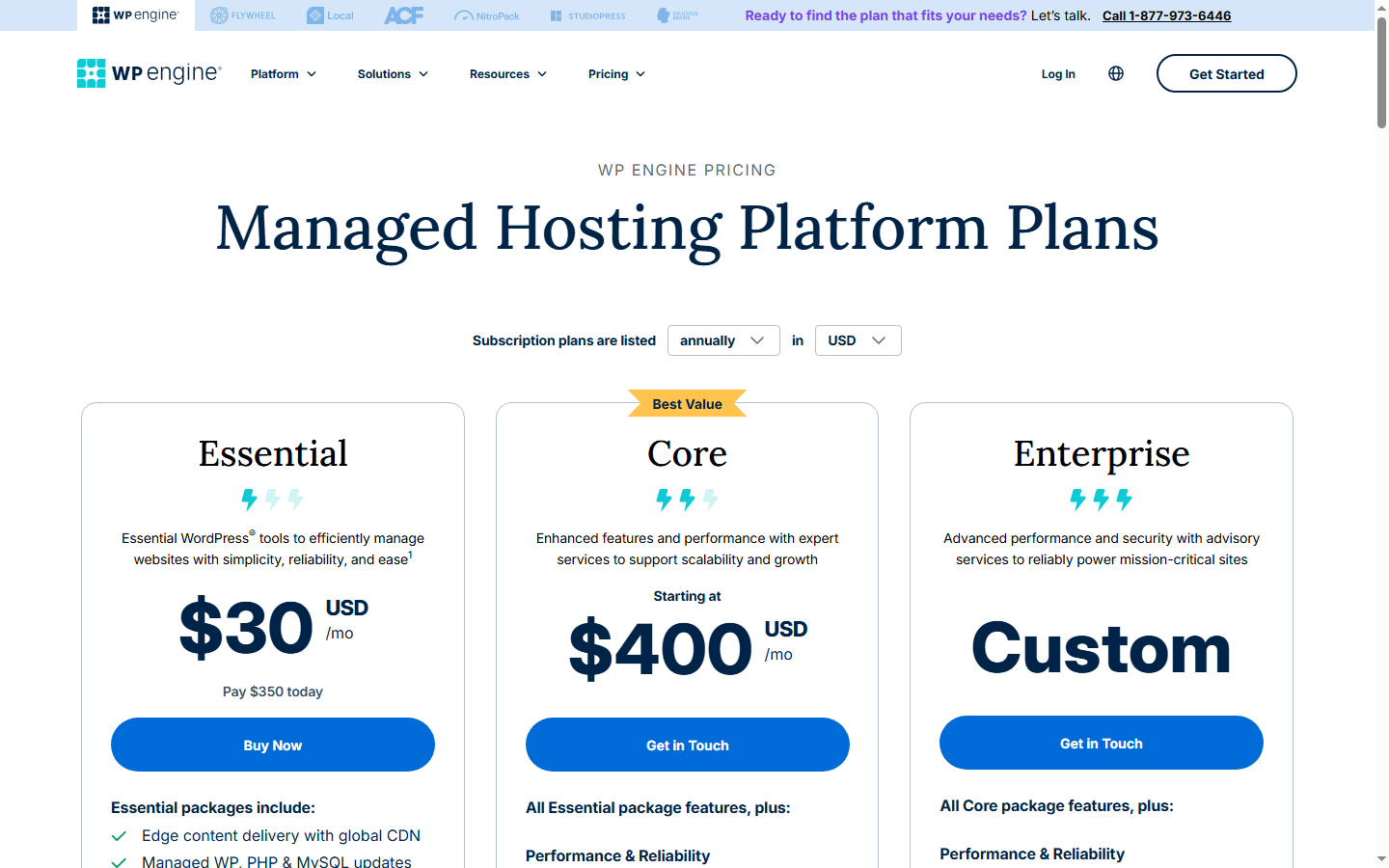
| WP Engine | Startup | $30/mo (annual, $350/yr) | Visit-based | $2 / 1,000 extra visits |
| Kinsta (visit) | Single 35k (visit-based) | $35/mo monthly, $30/mo annual | Visit-based | $0.50 / 1,000 extra visits |
| Kinsta (bandwidth) | Bandwidth-equivalent tier | Matches visit-based tier pricing | Bandwidth-based (2025-11-03 option) | $0.50/GB server, $0.05/GB CDN |
| Cloudways | Standard (DigitalOcean 1GB) | $11/mo | Resource-markup | Move up a droplet tier |
| Cloudways | Premium (DigitalOcean 1GB) | $14/mo | Resource-markup | Move up a droplet tier |
| Pressable | Signature 1 | $20.83/mo ($250/yr) | Install-based | Move up a Signature tier |
| WP Engine | Professional | $55/mo annual | Visit-based | $2 / 1,000 extra visits |
| WP Engine | Growth | $109/mo annual | Visit-based | $2 / 1,000 extra visits |
| Pressable | Signature 3 | $50/mo ($600/yr) | Install-based | Move up |
What you're looking at is the first page of the bill. The real bill is written on the thirteenth day of the thirteenth month — after the contract is signed, the data is migrated in, and cancelling will cost you one more month than you expected. The table doesn't show that page. The next section does.
5. What the List Doesn't Show: Add-ons, Overage, Cancellation
Three different hosts, three different shapes of hidden cost. The shapes are worth naming because they reappear on every bill.
Cloudways — the add-on stack
Cloudways's list price is honest about the droplet markup and quiet about what you'll end up buying on top. For a single WordPress site on Standard tier:
- Droplet (Standard DO 1GB): $11.00/mo
- SafeUpdates (plugin auto-update + visual diff, $3/app): $3.00/mo
- Cloudflare Enterprise CDN ($4.99/domain): $4.99/mo
- Backup storage (~10GB at $0.33/GB): $3.30/mo
- Premium support (if you need it): $100–$500/mo
Standard-tier single-site with SafeUpdates and CDN lands at $18.99/mo before backup storage. Add backups and you're at $22.29/mo. Without premium support. That's $22.29 vs. a WP Engine Startup bill of $30 — a $7.71 gap, not the $19 gap the list price suggested. If you want premium support on top, Cloudways has structurally exceeded WP Engine's Startup price and you still have your own operating-system access to deal with that WP Engine doesn't give you.
WP Engine — the overage engine
WP Engine's Startup plan is the lowest tier at $30/mo annual. Its overage rate is $2 per 1,000 extra visits. Run the arithmetic on a site that exceeds its visit cap by 25,000 in a month (a decent blog post going mildly viral, or a bot surge): that's 25 × $2 = $50 extra, bringing a $30 plan to $80. A site that exceeds by 100,000 (a video embed that starts trending, a product hunt spike): $200 extra, plan now $230. That second scenario is structurally what that BBB complaint was: a plan priced at $50 with overages totaling $740 on a month where something in the customer's bot-or-traffic profile turned against them.
Kinsta's overage rate at $0.50/1,000 is one-fourth of WP Engine's. On the same 25K-visit overage, Kinsta adds $12.50, not $50. The same customer account can have a four-figure bill difference across a year depending on which host received the same traffic.
Kinsta — three overage vectors, one meter at a time
On visit-based plans, Kinsta charges $0.50 per 1,000 extra visits. On bandwidth-based plans (post–November 2025), overage is $0.50/GB on server bandwidth and $0.05/GB on CDN bandwidth. Choose the wrong meter at signup and you're on the wrong overage curve for the life of that plan, unless you switch meters later — which is possible now but a decision you have to actively make.
WP Engine — the cancellation shape
A Trustpilot review of WP Engine captures the cancellation wrinkle with unusual precision: "I put a request to cancel my account months ago. They tell me it will be cancelled at the end of my contract (august 2025). I just got charged an EXTRA month ($447.58) (13 months in total now)." The contract year was twelve months. The bill was for thirteen. That's a single customer's testimony, but the pattern — cancellation requests timed to a billing cycle the customer didn't know was one cycle ahead — is one I've heard from three separate agency clients in the last eighteen months. When you compare annual-billed plans, you should compare their cancellation timing rules as carefully as you compare their prices.
A real monthly bill, one scenario, four hosts
Let's run a single workload across four bills. Scenario: one WordPress site, 50,000 visits/month, 50 GB bandwidth/month, 5% bot share. Starter/entry tier on each host.
| Host / plan | List price | Overage at this traffic | Estimated real monthly bill | Notes |
|---|---|---|---|---|
| WP Engine Startup ($30) | $30.00 | If Startup's visit allowance sits below 50K, overage is (50K − cap) × $2/1K. On a 25K cap that's $50; on a 35K cap that's $30. | ~$60–$80 | Exact cap varies by current signup; the shape of the bill is 2–3× list price at 50K visits. |
| Kinsta Single 35k (visit-based, annual $30) | $30.00 | (50K − 35K) × $0.50/1K = $7.50 | $37.50 | Same 15K overage volume as WP Engine on a 35K cap; one-fourth the overage rate. |
| Kinsta Single (bandwidth-based equivalent, $30) | $30.00 | If the tier's bandwidth allowance covers 50GB, overage is $0. If it sits at, say, 40GB: 10GB × $0.50 = $5. | $30–$35 | For 50K visits / 50GB, the bandwidth meter is the kinder one. Exact allowance depends on current tier config. |
| Cloudways Standard + SafeUpdates + CDN + backups | $11.00 + $3.00 + $4.99 + ~$3.30 = $22.29 | None at the plan level — you scale by upgrading droplet, not by overage charge. | ~$22–$25 | 50K visits on a 1GB droplet is feasible for a low-complexity site; may need 2GB for WooCommerce. |
| Pressable Signature 1 ($20.83) | $20.83 | Signature 1's visit allowance is below 50K; you'd move up to Signature 3 ($50) or pay per-visit overage (check current Pressable rate at signup). | $20–$50 | Correctly tiered, not overage-bled. Wrongly tiered and you may be pushed to the next Signature. |
Two conclusions from the same scenario. First: the spread between cheapest and most expensive bill is not the spread between list prices. List prices range from $11 to $30 (a 2.7× spread). Real bills for the same site at the same traffic range from roughly $22 to roughly $80 (a 3.6× spread). Second: the host with the highest list price in this scenario (WP Engine Startup at $30) produces the highest real bill, not because the list price was high, but because the overage rate was high. The $30 on the pricing page is the cheapest line item on that invoice.
6. When You Outgrow Managed Entirely (The Graduation Line)
There's a traffic and revenue threshold past which managed WordPress hosting stops making economic sense regardless of which of the four models you picked. I call it the graduation line. The exact threshold depends on your technical comfort, but the shape is predictable.
Rough graduation markers I use:
- Your managed bill crosses $150–$200/mo for a single site.
- You're moving between tiers more than once a year because of traffic growth.
- You've started hiring (or are one) someone who understands the WordPress stack well enough to read a PHP-FPM log.
- You run more than about eight small client sites and Pressable Signature 3 or 5 would be your next step.
Past that line, the options look like this. You run a panel — RunCloud, SpinupWP, GridPane — on a direct VPS from DigitalOcean, Vultr, Hetzner, or a similar provider. Your infrastructure bill drops to something like $12–$24/mo for a serious droplet, plus the panel ($10–$20/mo for most plans). You've replaced the Cloudways markup with the panel fee and you now own the ops responsibility the managed host was absorbing.
This is a real trade, not a universal upgrade. You've traded a managed support team for a panel and your own time. If you don't know how to debug a stuck queue, investigate a runaway PHP process, or diagnose why a migration that went fine on staging broke on production, you do not save money by graduating. You save money on the hosting bill and pay it back in downtime and stress.
When not to graduate: your monthly revenue is under about $3,000, your team is one person, and a single production outage would cost you sleep you can't afford to lose. Stay managed. The premium you pay for Kinsta's or WP Engine's support desk is cheaper than the hour of panic at 2 a.m. when a plugin conflict takes down checkout and you haven't set up monitoring.
7. Bottom Line: Pick Your Billing Model First
This is not a ranking. I don't have a single "winner" for you. I have a decision order.
- Measure your traffic shape — GA sessions, bandwidth, bot percentage, logged-in page load share. Two afternoons of work.
- Pick the billing model that matches that shape:
- Text-heavy blog, moderate bot share, low media → visit-based, and specifically Kinsta's $0.50/1K overage over WP Engine's $2/1K, unless you have a strong existing reason for WP Engine.
- Media-heavy, moderate traffic, high page weight → Kinsta's bandwidth-based option (post–November 2025). This didn't exist as a choice for most of your decision history; it exists now.
- Low traffic, heavy server-side work (membership, WooCommerce with personalized pages) → Cloudways, accepting the 130–220% markup in exchange for not having visit-counting surprises and owning root access if you need it.
- Portfolio of many small client sites → Pressable, and specifically Signature 3 or 5 once you're past two or three installs. Nobody talks about Pressable in these articles because it doesn't fit the "head-to-head" SERP shape. That is SERP laziness, not a verdict on Pressable.
- Inside that model, pick the host. This is the only step where list prices matter, and by this point in the decision they are a one-dimensional number comparing two things that are finally comparable.
Back to the $790.28 bill. It happened because a site owner picked visit-based billing for traffic whose shape didn't match visit-based billing, paid a plan price that looked reasonable on the pricing page, and then discovered — in February, on a Friday — that the pricing page was the prologue and the actual product was the overage schedule. That site owner didn't pick the wrong host. They picked the wrong model. The host correctly, contractually, billed them for what they signed up for.
If I had to summarize a decade of watching these invoices in one sentence: the cheap tier at the right host on the wrong billing model is more expensive than the mid tier at any host on the right one. Compare models first. Compare prices last. The fourth slot in managed-WordPress pricing philosophy — bandwidth — is new as of November 2025 and most of the SERP hasn't caught up. You can.
One honest limit on all of this. If your site hasn't been live long enough to have a measurable traffic shape — call it three months of real traffic with bots, search crawlers, and at least one post that spiked harder than you expected — this framework can't help you yet. You can't pick a billing model for a site whose shape doesn't exist. Pick any host with a short commitment and a clean cancel rule, run the site, and come back to this comparison with your own analytics tab open next to it. Billing-model fit is a measurement exercise. It requires something to measure.
FAQ
How do I figure out which billing model I'm on the wrong side of, without switching hosts?
Open two browser tabs. Tab one: Google Analytics, last 30 days, users count. Tab two: your host's billable-visits or bandwidth report for the same 30 days. If the host number is more than 2× your GA number, you're on a visit-based meter that's counting bots and hits as if they were customers. If the host number is less than 1.5× your GA number, visit-based is fine for you. For the bandwidth question, cross-reference your CDN's monthly GB transferred against your host's plan bandwidth — if you use under 30% of your plan bandwidth but 90%+ of your visit cap, bandwidth-based would save you money; the reverse is true too. Do this on actual data, not a gut feeling.
Kinsta launched bandwidth-based pricing in November 2025 — worth switching from visit-based if I'm already a customer?
Only if your bot share is above 25% or your GA-to-billable-visits gap is above 2×. Pull three months of both numbers. If bandwidth-based would have produced a lower bill in at least two of those three months, switch. If it's a coin flip, stay on the meter you're on — the cost of re-learning your own bill isn't worth a 3% saving. The decision isn't "is bandwidth-based better?" It's "does my site's shape match bandwidth-based better than visit-based?" Those are different questions.
Is Cloudways Standard at $11 actually cheaper than WP Engine Startup at $30 once I add SafeUpdates and CDN?
Yes, but the gap is about one-third of what the list prices suggest. Cloudways Standard DO 1GB droplet ($11) + SafeUpdates for one site ($3) + Cloudflare Enterprise CDN ($4.99) = $18.99/mo before backup storage. Add backups at $0.33/GB for 10GB and you're at $22.29/mo. WP Engine Startup is $30. So the real gap is about $7.71, not $19. Whether that $7.71 is worth giving up WP Engine's managed layer and single-price simplicity depends on whether you'd use the Cloudways root access for anything. For most single-site operators, the honest answer is no, you wouldn't, and you're paying $7.71 for a capability you'll never use.
At what monthly revenue should I stop using managed WordPress and move to RunCloud on a direct VPS?
Two conditions, both required. First: your monthly hosting bill on managed has crossed $150. Second: somebody on your team (possibly you) can read a PHP-FPM slow log and tell the difference between a database lock and a plugin timeout. Under $150/mo, you are paying the managed provider less than the hourly cost of one production incident you'd have to debug yourself; the math favors managed. Over $150/mo, panel + direct VPS starts saving real money, but only if the ops skill is actually there. It's not a revenue number so much as a skill-plus-bill number.
Can any of these hosts cap overage charges or send a bill alert before I hit them?
As of April 2026: none of them offer hard caps on a self-service plan — that's structurally against the business model. Most offer usage alerts and threshold emails somewhere in the billing settings. Kinsta's MyKinsta dashboard shows daily visit and bandwidth counts and you can set email alerts. WP Engine's User Portal shows a visit counter but the alerting is less granular. Cloudways doesn't have overage charges in the traditional sense — you scale by upgrading droplets, which requires a click you make. Pressable's visit counting is less transparent and I'd ask support for a threshold alert at signup.
If you want a real hard cap, the only mechanism is your own monitoring: a daily check on the provider's usage report, or a Cloudflare rule that throttles traffic past a threshold you pick. Two specifics I learned the hard way. First: set the throttle threshold at 70% of your plan cap, not 100%. By the time traffic hits 100%, the host has already counted it; the throttle only stops things from getting worse, not from starting. Seventy percent gives you a running month-to-date warning with enough runway to upgrade or reroute before overage begins. Second: set the alert email to two separate inboxes — the billing one and a personal one. The billing inbox is the one nobody reads on a Saturday; the personal inbox is the one that reaches you before Monday morning's invoice locks in.
I run WooCommerce with 40K visits but 300GB bandwidth (lots of product photos) — which model bleeds me least?
Bandwidth-based will hurt you; that's bleeding level 5 on Table 1. Visit-based will be fine on a Kinsta Single 35k (5K overage × $0.50 = $2.50) or tight on a WP Engine Startup (if the cap is below 40K, overage at $2/1K gets expensive fast). Resource-markup on Cloudways is probably the smart pick here: 300GB bandwidth isn't a Cloudways cost problem (the droplet has its own bandwidth allowance via DigitalOcean, and CDN handles the rest) and 40K visits is comfortable for a Standard 1GB droplet on a well-cached WooCommerce. Expect around $22–$30/mo all in including SafeUpdates and CDN. Kinsta visit-based is a close second if you want a fully managed experience; avoid Kinsta's new bandwidth-based option on this traffic shape specifically.